

Get started with Interview Copilot
Launch your first interview copilot session and get real-time support during your interview.Step 1: Access the Platform
Copilot runs in supported browsers or Desktop App: Browser App:- Chrome, Edge, Opera supported for general interviews
- Verve AI Chrome extension enables screen capture for all copilot domains
- Offers exclusive features including stealth mode, hotkey screen capture, and transparent mode
- Works with any platform or application
Step 2: Choose Your Interview Domain
Your interview domain tells Copilot what type of interview you’re in and determines the type of support you’ll receive. Visit the interview copilot launch pad to get started.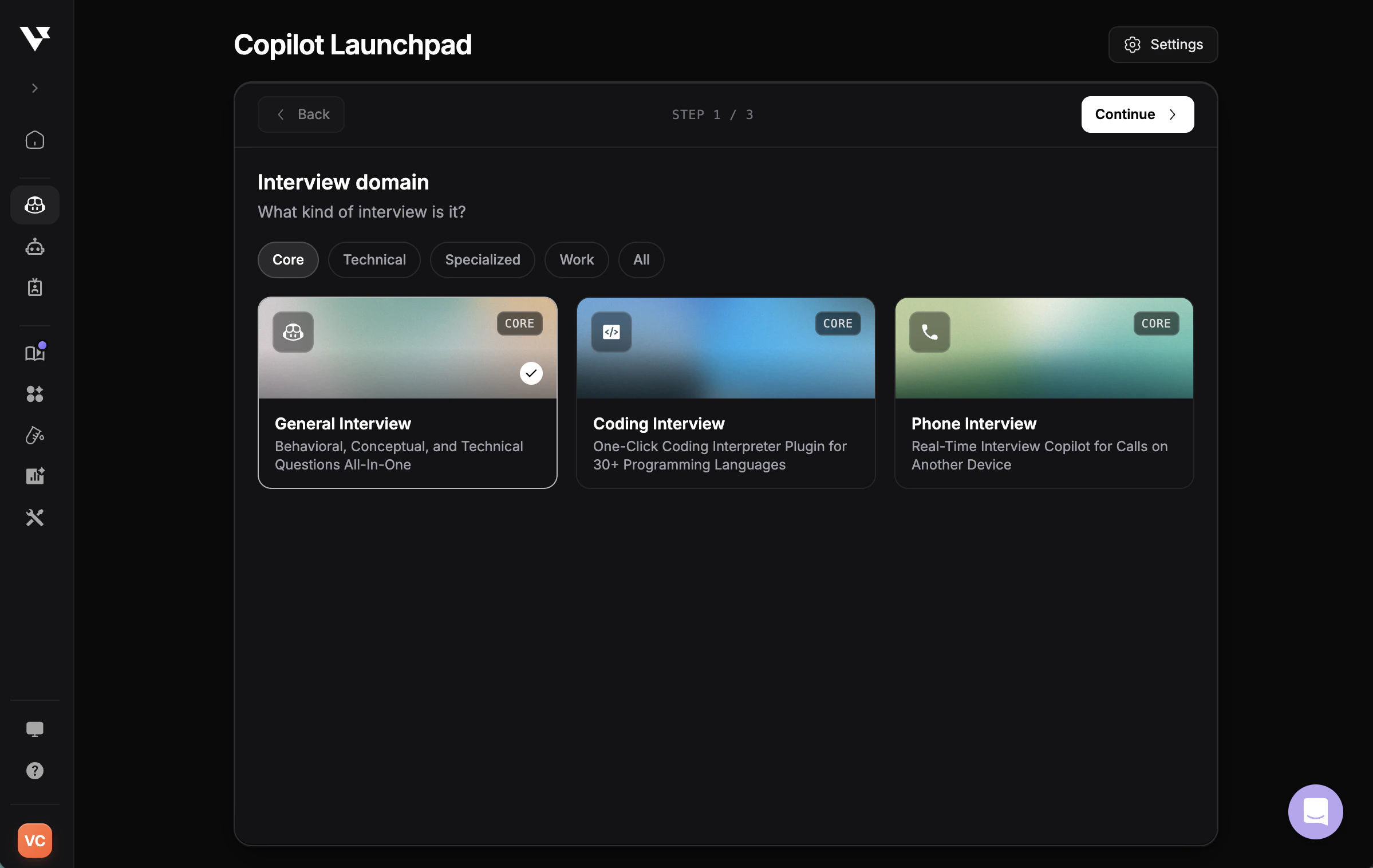
- Core — General Interview, Coding Interview, Phone Interview
- Technical — Software Engineering, Data Science & Analytics, Cloud & Infrastructure Engineering, AI Security & Governance, Online Assessment
- Specialized — Cyber Security, Mercor, and other domain-specific tracks
- Work — Product Management, business and professional meeting support
Coding Copilot
Support for leetcode-style coding interviews with screen-capture features
Online Assessment Copilot
One-click solution for online tests with instant capture
Interview Copilot Guide
Explore all 20+ interview domains and features
Step 3: Select Your Interview Profile
Your interview profile defines who you are in the interview: your role, experience level, and background.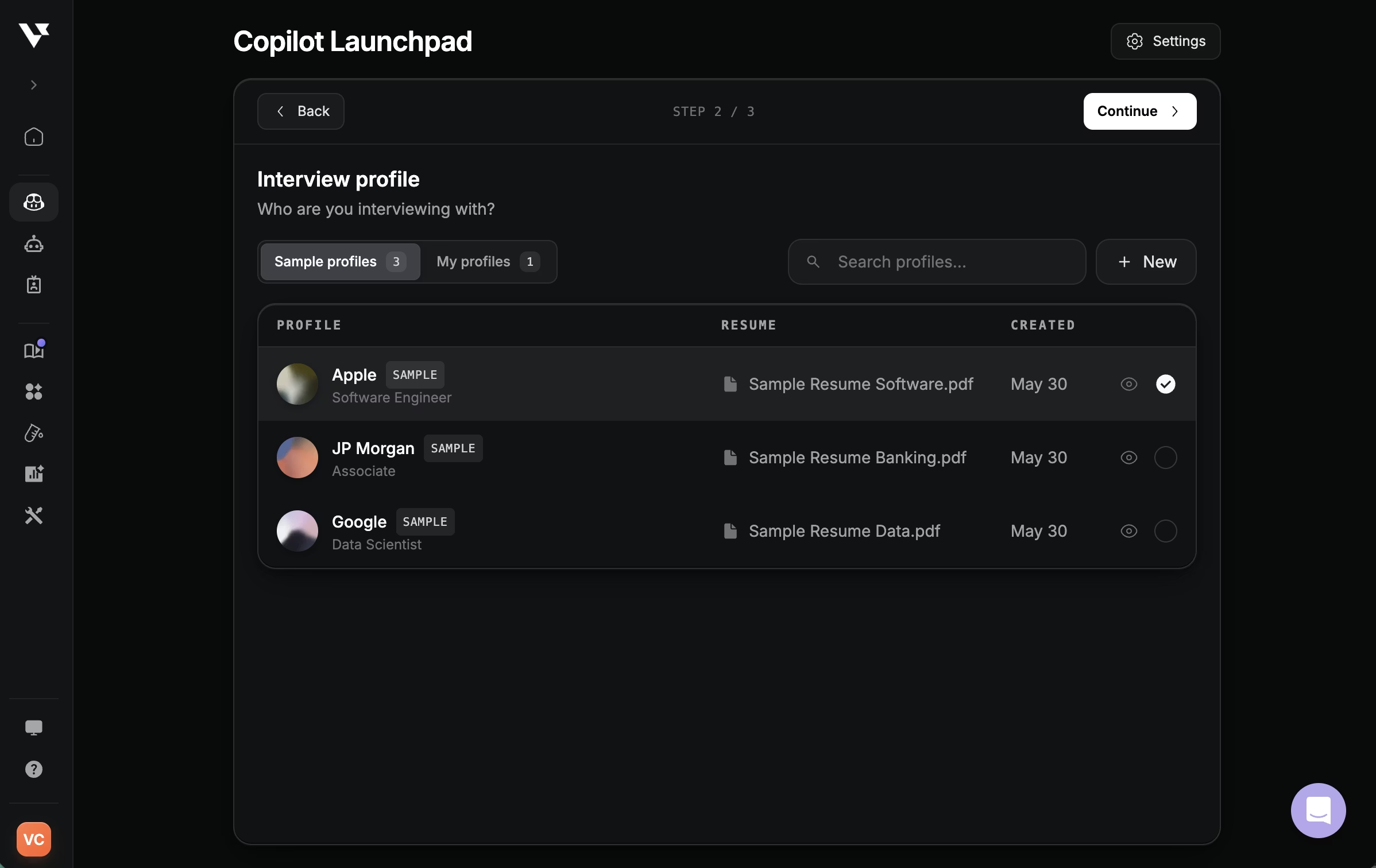
- Sample profiles — pre-configured profiles for popular companies and roles so you can try Copilot instantly
- My profiles — your saved profiles, reusable across sessions
- + New — build a profile from scratch by uploading your resume, setting your role and seniority, and adding the company
Create Your Interview Profile
Learn how to set up your interview profile
Test in Playground
Preview and customize AI responses before your interview
Step 4: Configure Settings
Review your launch settings before starting.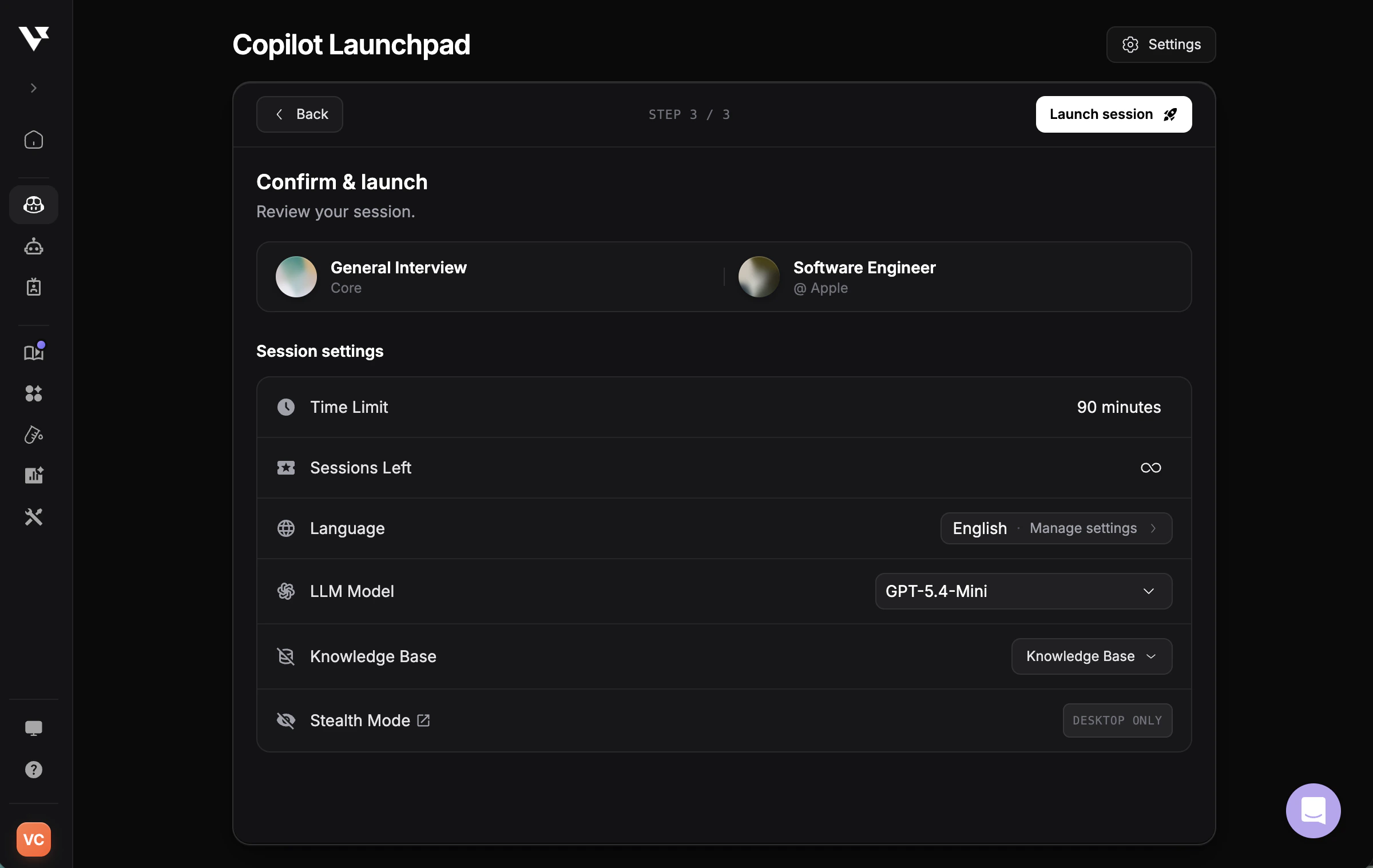
Session
- Time limit: Varies by subscription plan (e.g., 90 minutes)
- Sessions remaining: Shows available session count
Language
Set interview language for transcription and copilot response.Multilingual support is available in transcription for interviews conducted in certain languages. Learn more
Audio Permission
Grant audio access when prompted to allow Copilot to understand the full interview context.Model Selection
- Choose the AI model of your choice
- Check out all available AI models
Knowledge Base
Upload additional materials to personalize responses, including but not limited to:- Project portfolios
- Company research
- Recent news
- Prepared questions and answers
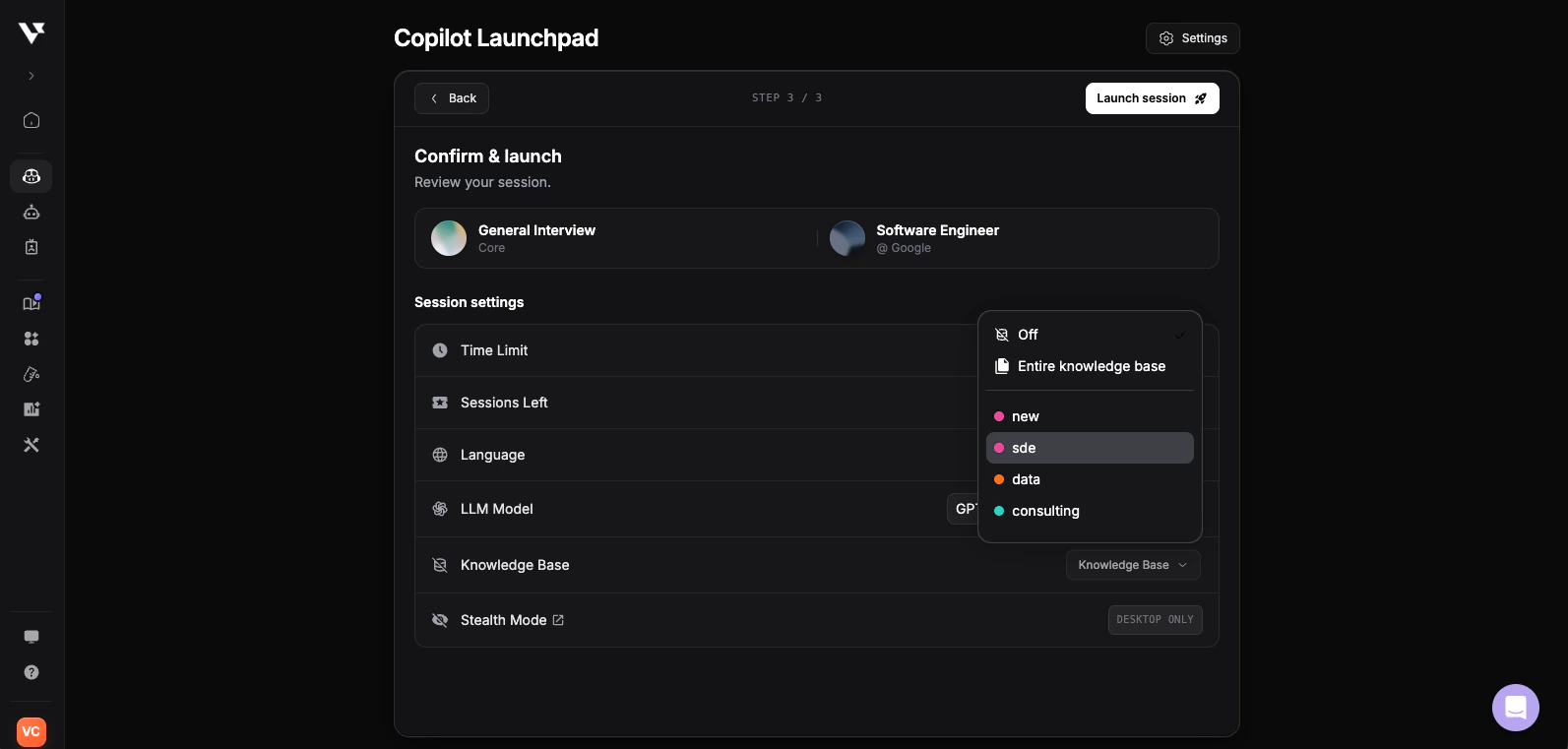
- Off — don’t reference any Knowledge Base documents in this session
- Entire knowledge base — use every enabled document
- Specific folder — scope the session to a single folder (e.g., sde, data, consulting) so only role-relevant notes are loaded
Stealth Mode
- Stealth Mode is available in the Desktop App only and keeps Copilot invisible during screen sharing