

Overview
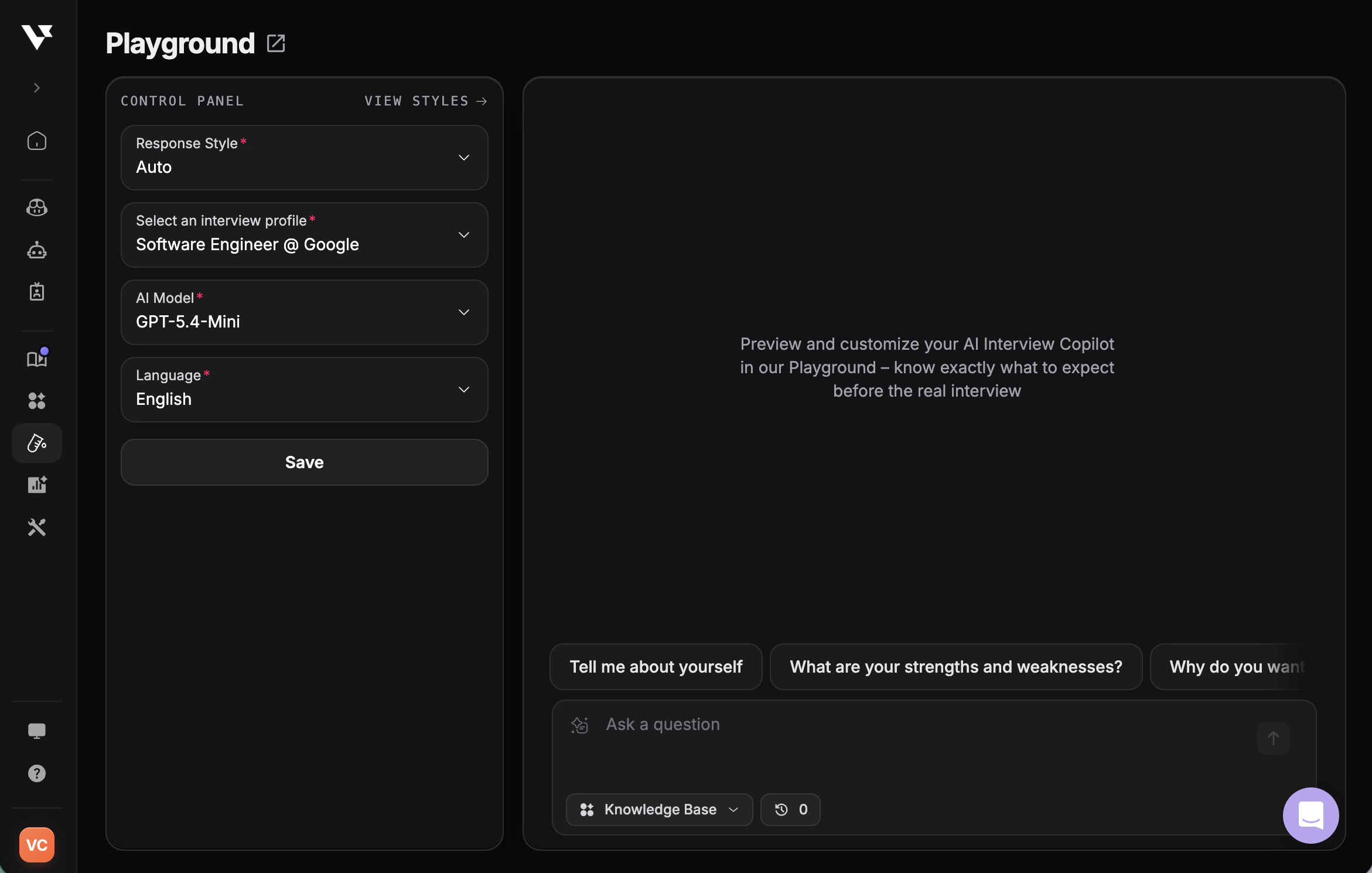
The Playground is your personal testing space to preview and customize how your AI Interview Copilot responds—before the real interview. It’s designed to help you feel fully prepared and confident by letting you experiment with different settings until everything feels just right. Access: PlaygroundHow to Use the Playground
1
Access the Playground
Navigate to the Playground from your Verve AI dashboard.
2
Select an Interview Profile
Choose an interview profile that matches your interview role.
3
Choose an AI Model
Select an AI model to test different response styles.
4
Configure Language & Response Style
Adjust language preferences and select either “Auto” or your created custom style for the response style.
5
Manage Custom Styles (Optional)
Create and test personalized response formats tailored to your needs.
6
Test Questions
Type in sample interview questions to see how the AI responds.
7
Review Responses
Analyze the AI’s answers and adjust settings as needed.
8
Apply Settings
Save your preferences to use in actual interview sessions.
Customize Response Style
The Playground lets you create and test custom response styles to control exactly how the AI generates answers—adjusting tone, structure, and focus to match your interview needs.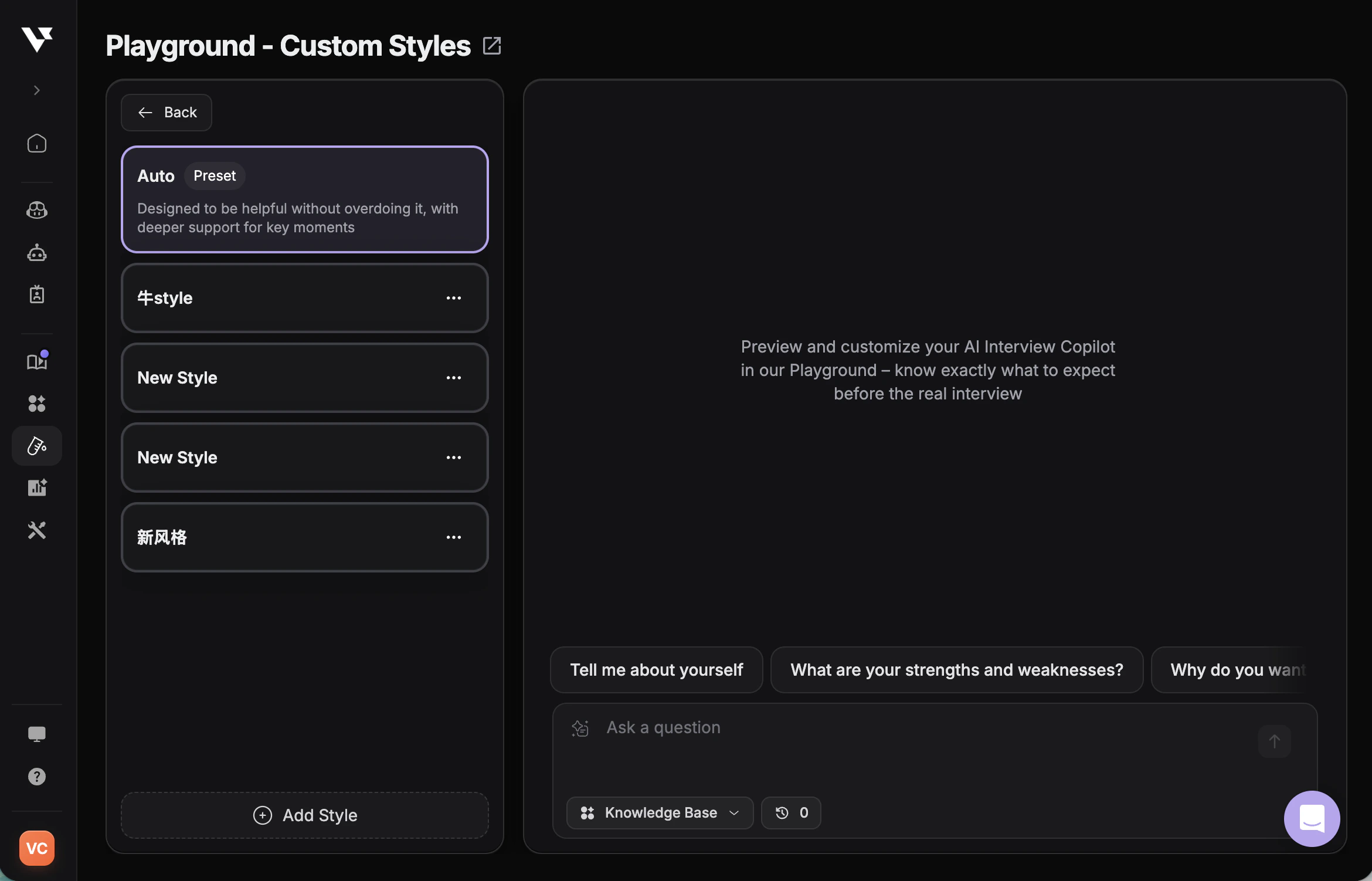
- Create personalized response styles with custom prompts
- Use dynamic variables like resume, job description, and company info
- Test styles in real-time before live interviews
- Build interview-type-specific styles (coding, behavioral, system design)
Custom Response Style Guide
Learn how to create and manage custom response styles
Available AI Models
Every model in the Playground shows its intelligence and how fast it starts answering. See Choose the right AI model for recommendations by interview type.We are dedicated to adding the latest AI models as they become available. The model list is subject to change and updates.
Included on Every Plan
Included on Every Plan
- Auto Select
- GLM-5.3 Flash
- GPT-6 Luna
- DeepSeek V4.1 Flash
- Gemini 3.5 Flash Lite
- MiniMax M3
- GPT-OSS-120B
Pro Plan
Pro Plan
- Claude Haiku 5.5
- GLM-5.3
- Gemini 3.8 Flash
- Mistral Large 4
- Gemini 3.7 Flash
Best Practices
- Test Multiple Scenarios - Try different types of questions: behavioral, technical, system design, and coding challenges
- Compare Models - Test the same question across different AI models to find your preferred style
- Upload Relevant Documents - Include your resume and job description for context-aware responses
- Fine-tune Response Style - Adjust between Concise, Explanatory, and Default based on your interview type, or create custom response styles with personalized prompts
- Test Custom Styles - If using custom response styles, test them extensively in Playground before live interviews to ensure they generate the responses you expect
- Apply Before Interviews - Always apply your settings before launching an actual interview session