

What is Job Agent?
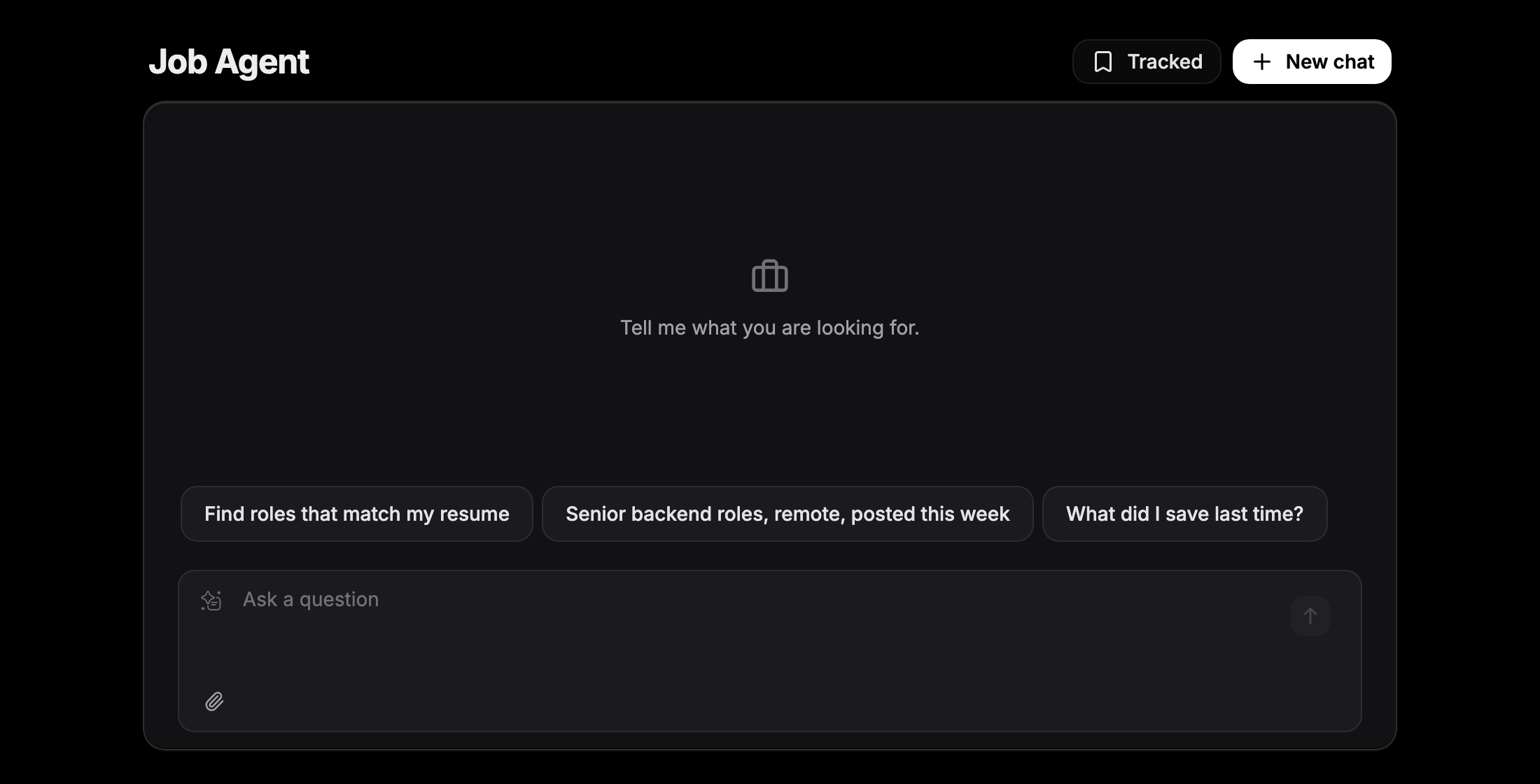
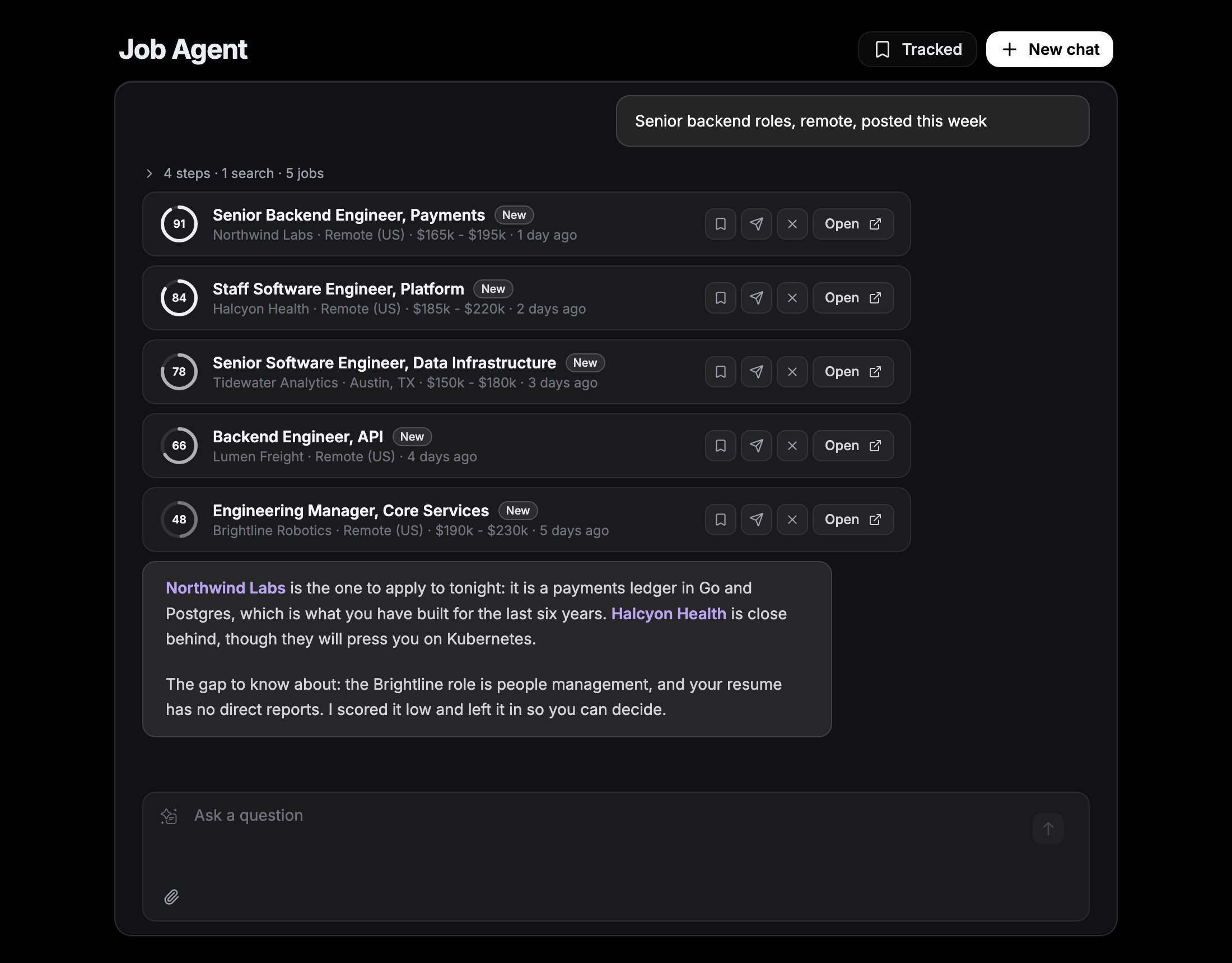
Job Agent is a chat assistant for your job search. Tell it what you are looking for, and it searches live postings, reads your resume, and shows the jobs worth applying to as cards with a match score. It also helps with the work around a job search, and answers questions about Verve AI:- Find jobs. It searches company career pages and job aggregators, then picks five or six postings and tells you which one or two deserve your time and what gap to know about.
- Judge fit honestly. Every score is weighed against your actual resume. Stretches and near-misses are shown with a low score, not hidden.
- Remember your reactions. Jobs you saved, applied to, or dismissed are remembered, with your reasons, so later searches don’t bring back what you already rejected.
- Help with applications. Ask it to prepare you for an interview, tighten a resume bullet, or draft an answer to an application question.
- Answer questions about Verve AI. It reads this help center and answers from the matching article, with a link.
- Hand off to support. For anything that needs a person, such as a charge, a refund, or a bug, it drafts a message for you to send to the support team.
Job Agent is in beta. Open it from Job Agent in the sidebar, or go to app.vervecopilot.com/jobs/agent.
How to Use It
1
Save a resume
Upload a resume to your Resume Library. Job Agent reads your most recent one before its first search. You can also attach a PDF or text file (up to 2MB) to a message instead.
2
Say what you are looking for
Type a request such as “Senior backend roles, remote, posted this week” or “Find roles that match my resume”. Include a location if it matters.
3
Review the cards
Each card shows a match score, the title, company, location, pay when the posting lists it, and when it was posted. Click the title to read the full description. Open takes you to the original posting.
4
React to what you see
Use the Save, Applied, and Dismiss buttons on a card, or just say it in the chat (“that one is too junior”). Your reason is saved with the job. Applied and dismissed jobs leave the list; saved jobs stay.
Tracked Jobs and History
- Tracked lists every job you reacted to, in three tabs: Saved, Applied, and Dismissed.
- History opens your past conversations.
- New chat starts a fresh conversation. Your tracked jobs carry over.
Questions About Verve AI
Ask how a feature works or why something isn’t working, and Job Agent looks it up in this help center and answers from the article. When the help center doesn’t cover your case, or the question is about your account, Job Agent shows a card with a drafted message and a Message support button. The button opens the support chat with the draft filled in. Nothing is sent until you send it.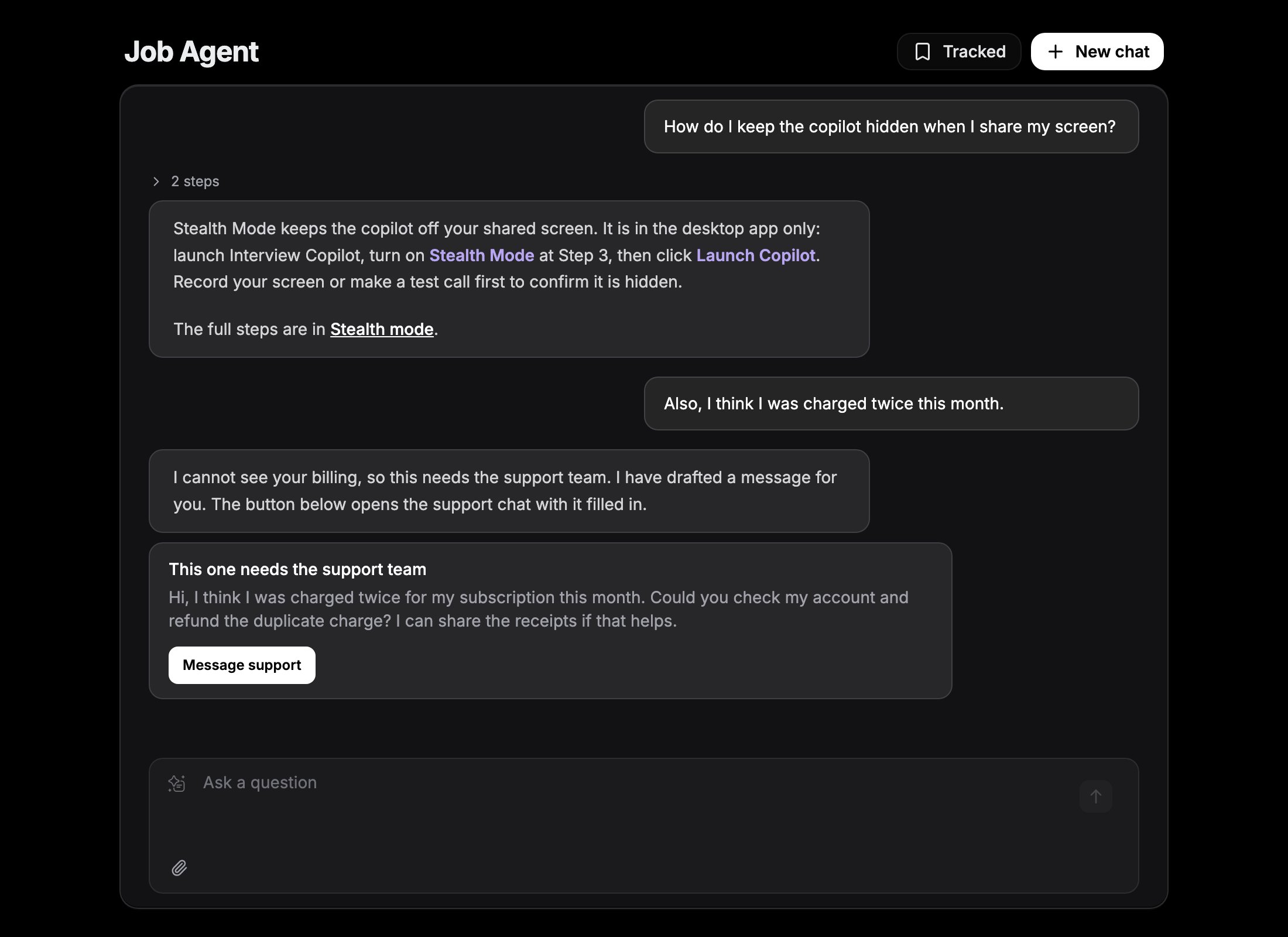
Message Limits
Each message you send counts as one, whether it is a job search or a question.- The dial next to the message box shows how many messages are left and when they reset.
- The limit resets every Thursday at 00:00 UTC.
- Job Agent is a separate subscription. Pro and Premium plans do not change the weekly limit.
Good to Know
- A search takes a moment. One search checks a few hundred job boards, so a reply usually takes 20 to 40 seconds.
- Results depend on the sources. Coverage is strongest in the United States, United Kingdom, and Canada. If a search returns little, Job Agent says so and names what it searched.
- Other tools do some jobs better. For a full resume rewrite or interview practice, Job Agent points you to the Resume Builder, Interview Profiles, or Mock Interview.