

Overview
An interview profile helps Verve AI tailor responses to your background, the role you’re applying for, and the company you’re interviewing with. Think of it as your interview context that makes AI suggestions more accurate and relevant. Why Interview Profiles Matter:- Tailored Responses - Get AI suggestions specifically matched to your background and the role
- Multiple Interviews - Create different interview profiles for various companies and positions
- Role-Specific Context - Ensure responses align with job requirements and company culture
- Better Accuracy - AI understands your experience level and can provide relevant examples
How to Create an Interview Profile
1
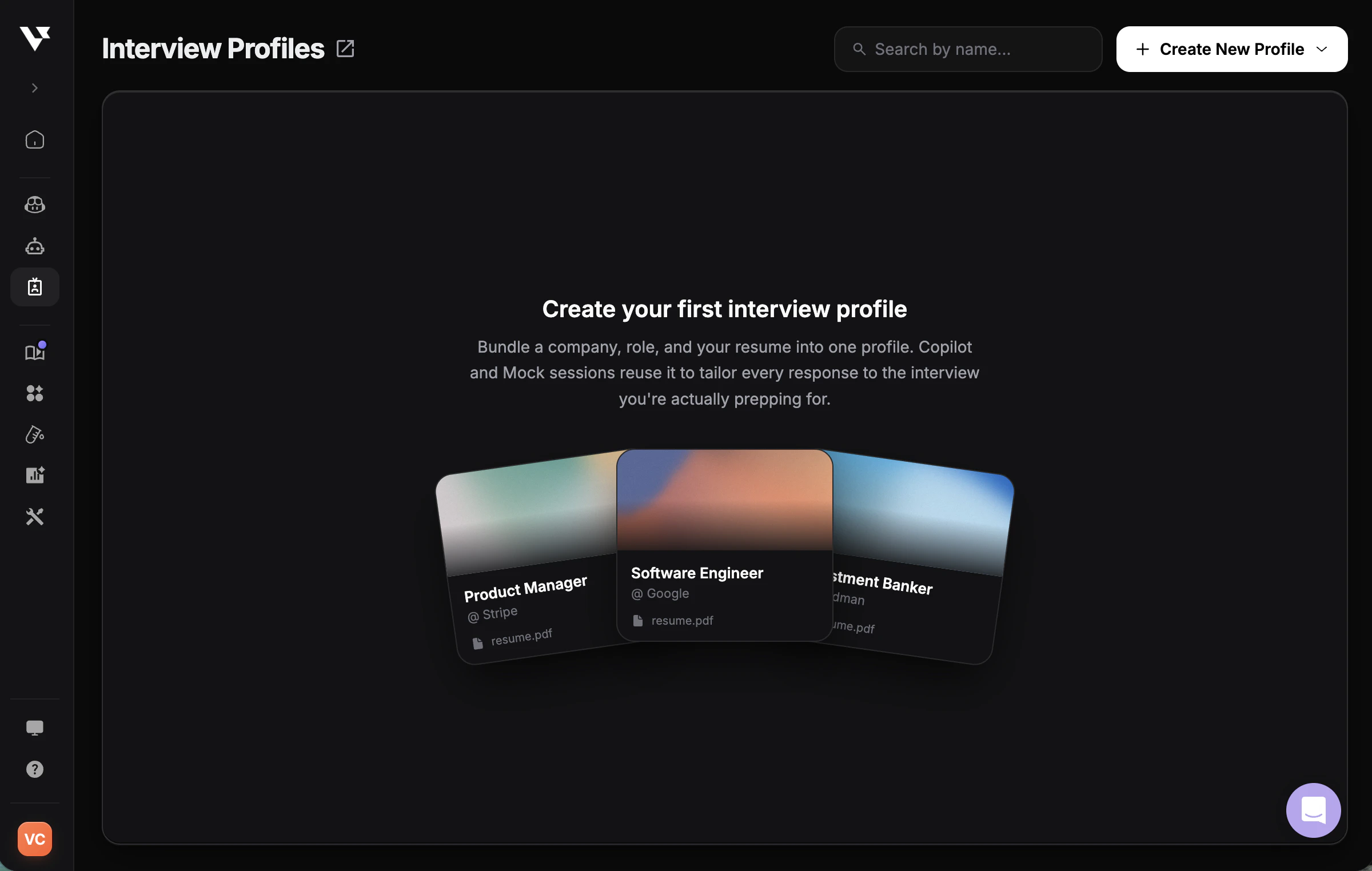
Visit Interview Profiles
Navigate to Interview Profiles in your dashboard.
2
Create a New Interview Profile
Click the “Create New Interview Profile” button on the top right corner.
3
Upload Your Resume
Upload or select your resume (PDF, DOC, or DOCX).
4
Fill in Job Details
Provide the following information:
- Company Name
- Company Description (brief overview of the company)
- Position (job title you’re applying for)
- Job Description (paste the full job posting)
5
Submit Your Interview Profile
Click Submit to create your interview profile.
6
Select Your Interview Profile
Select your newly created interview profile before launching any interview session at the interview copilot launch pad.
Create an Interview Profile with AI
If you already have the full job description, you can use AI to prefill your interview profile draft instead of completing every field manually.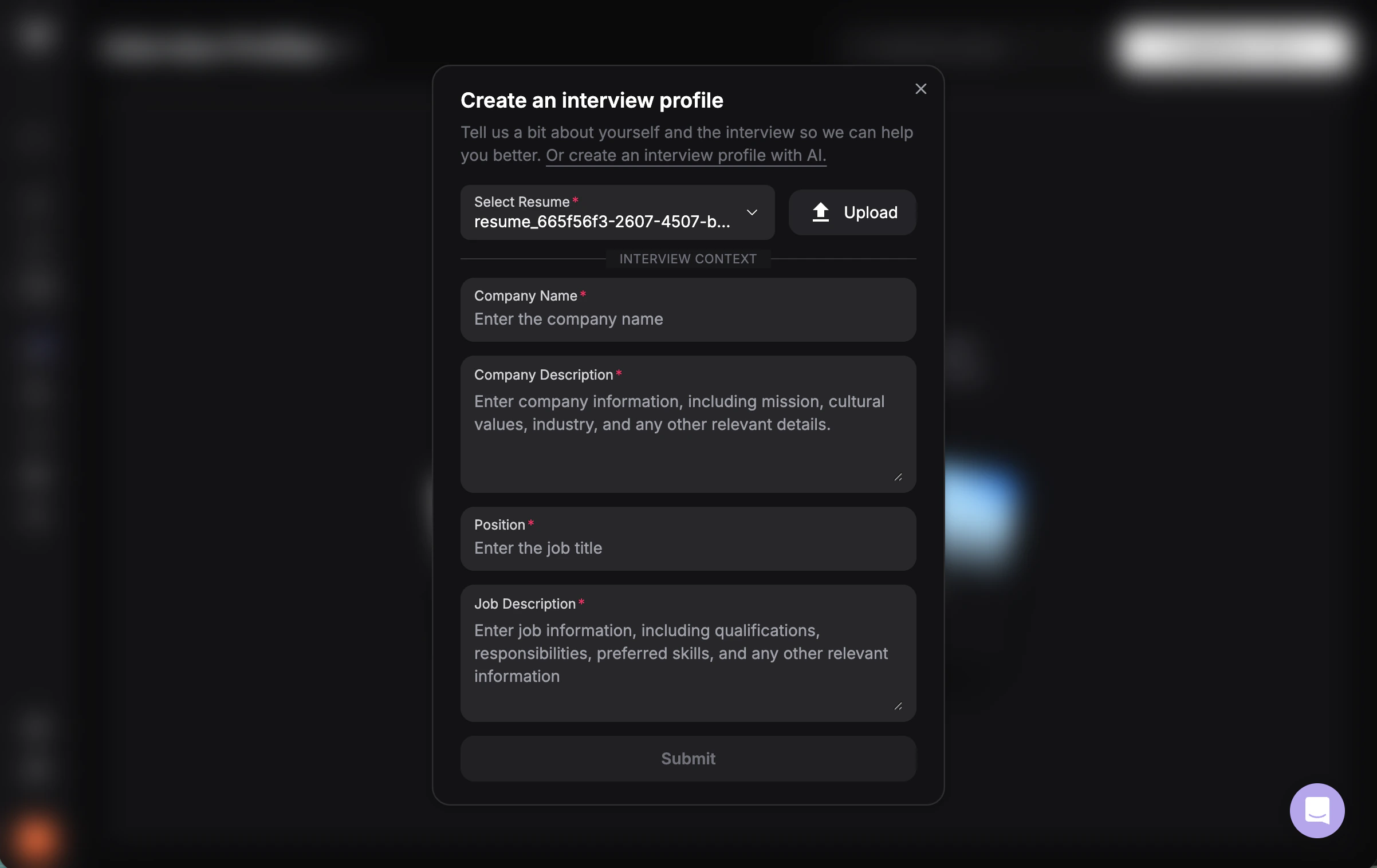
1
Open Create Interview Profile with AI
Start a new interview profile and choose the Create Interview Profile with AI option.
2
Paste the Full Job Description
Paste the complete job description into the input box so Verve AI has enough context to work with.
3
Generate the Draft
Click Continue and Verve AI will prefill the interview profile draft for you.
4
Review Before Saving
Check the generated company, role, and job details, then make any edits you want before saving the interview profile.
How to Use Your Interview Profile
Once your interview profile is saved, you can reuse it across multiple Verve AI tools. Click the ⋯ action menu next to any profile to choose how to use it.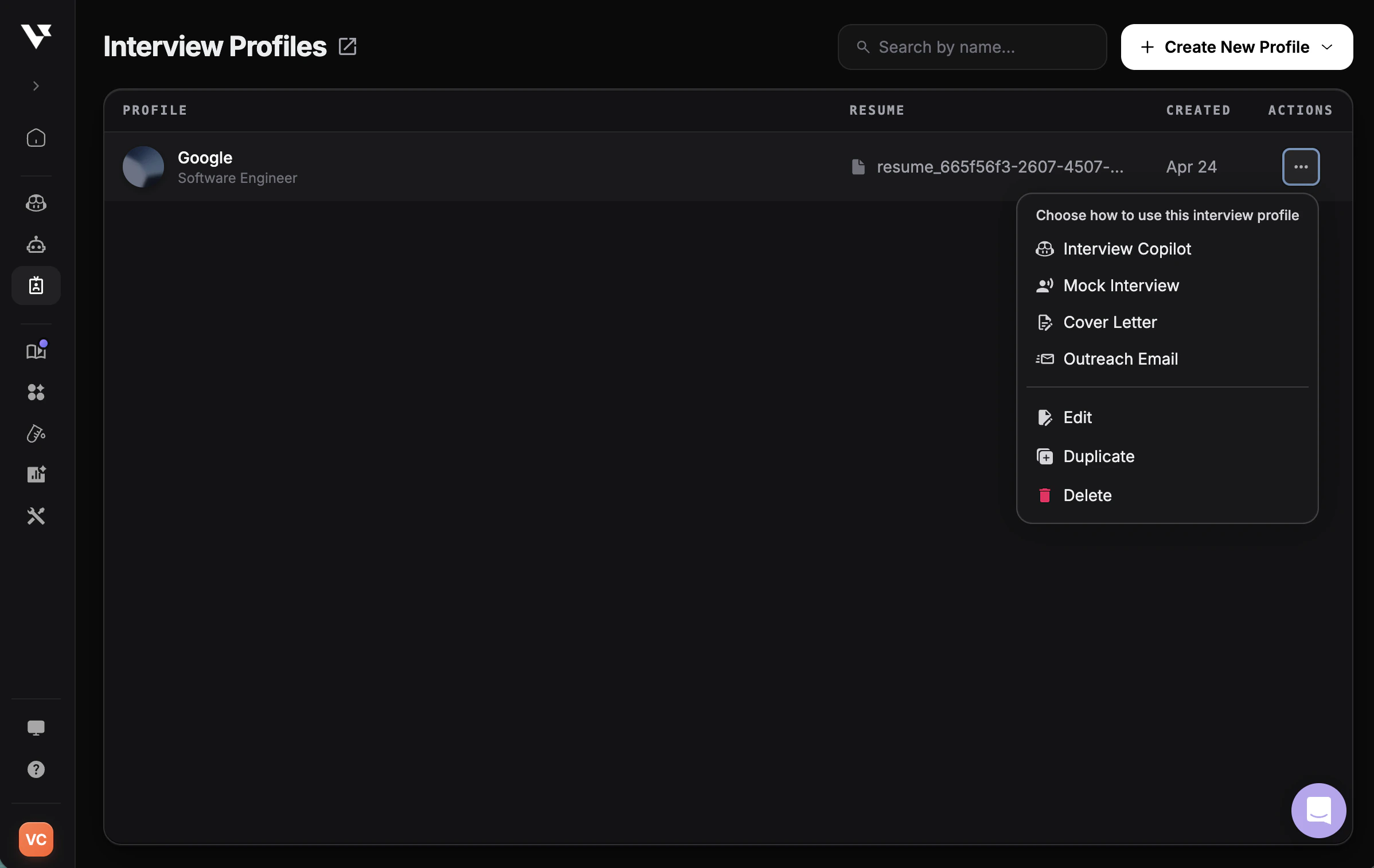
- Interview Copilot — launch a real-time copilot session tailored to this profile
- Mock Interview — practice with an AI interviewer using this profile’s role and company context
- Cover Letter — generate a tailored cover letter from your resume and the job details
- Outreach Email — draft a personalized recruiter or networking email
What information is required?
What information is required?
Next Steps
Test in Playground
Preview and customize AI responses before interviews
Create from Scratch
Write STAR stories or free-form interview context
Launch Your First Session
Start using your interview profile in an interview
Interview Copilot Guide
Learn how to use copilot features