

What is Verve AI?
Verve AI is an intelligent interview copilot that provides real-time support during your interviews. Whether you’re facing behavioral questions, technical challenges, or coding problems, Verve AI listens to your interview, understands the context, and delivers tailored suggestions—visible only to you.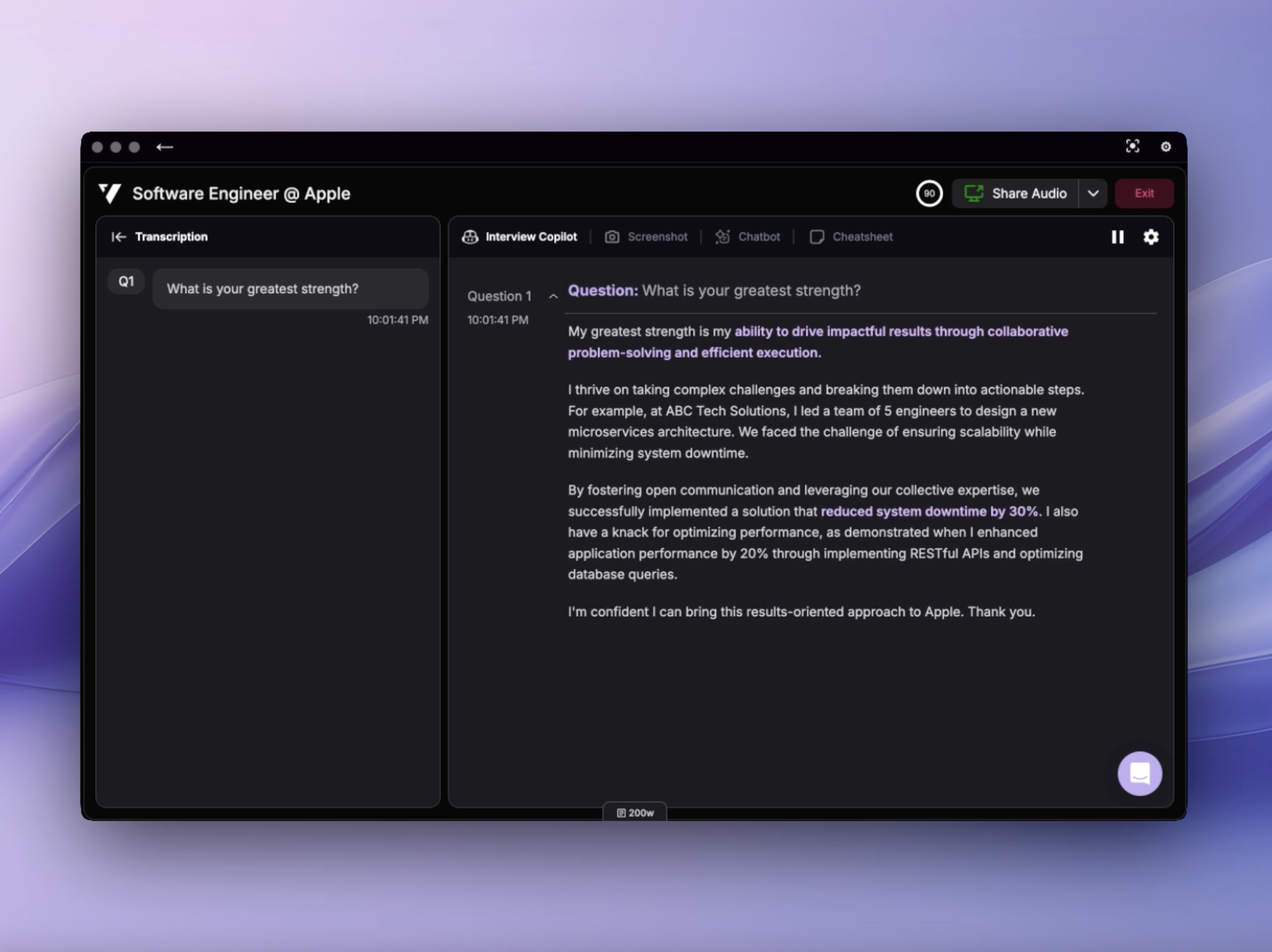
Quick Start
Get Started in 5 Steps
Launch your first interview copilot session in minutes
Available Platforms
Access Verve AI from your preferred device:Desktop App
Full features including Stealth Mode, hotkey screen capture, and transparency controls
Browser App
Quick access from Chrome, Edge, or Opera for general interviews
Mobile Experience
On-the-go support for phone interviews
Core Features
Choose the copilot mode that matches your interview type:Interview Copilot
Real-time support for behavioral and technical interviews across 20+ domains
Coding Copilot
Instant solutions for leetcode-style coding questions with screen capture
Online Assessment Copilot
One-click support for timed coding assessments and technical tests
Stealth Mode
Stay invisible during screen sharing with Desktop App
Preparation Tools
Set yourself up for success before the interview starts:Create Your Interview Profile
Upload your resume and job details for personalized AI responses
Test in Playground
Preview and customize copilot responses before your interview
Add Documents
Upload company research and project portfolios for better context
Create from Scratch
Write STAR stories or free-form interview context directly in Knowledge Base
Popular Settings & Customization
Fine-tune your copilot experience:Performance
Performance
- Choose AI Model - Select from multiple AI models based on speed and quality needs
- Custom Response Style - Create personalized AI response styles with custom prompts and variables
Display & Interface
Display & Interface
- Layout and Response Mode - Set default layout and response mode for new sessions
- Split Screen Mode - View copilot alongside your interview
- Adjust Window Transparency - Control window opacity
- Keyboard Shortcuts - Master hotkeys for quick actions
Audio & Transcription
Audio & Transcription
- Test Audio Before Interview - Verify your audio setup before launch
- Share Audio - Share audio with Verve AI during interviews
- Pause Interval - Control response timing
- Interview Language - Set transcription language
- Interview Transcription - Review full conversation history
Privacy & Stealth
Privacy & Stealth
- Stealth Mode - Stay invisible during screen sharing
- Screen Sharing Notifications - Get alerts when sharing starts
- Change Desktop Icon - Customize app appearance
- Hide from Dock - Remove from taskbar