

Overview
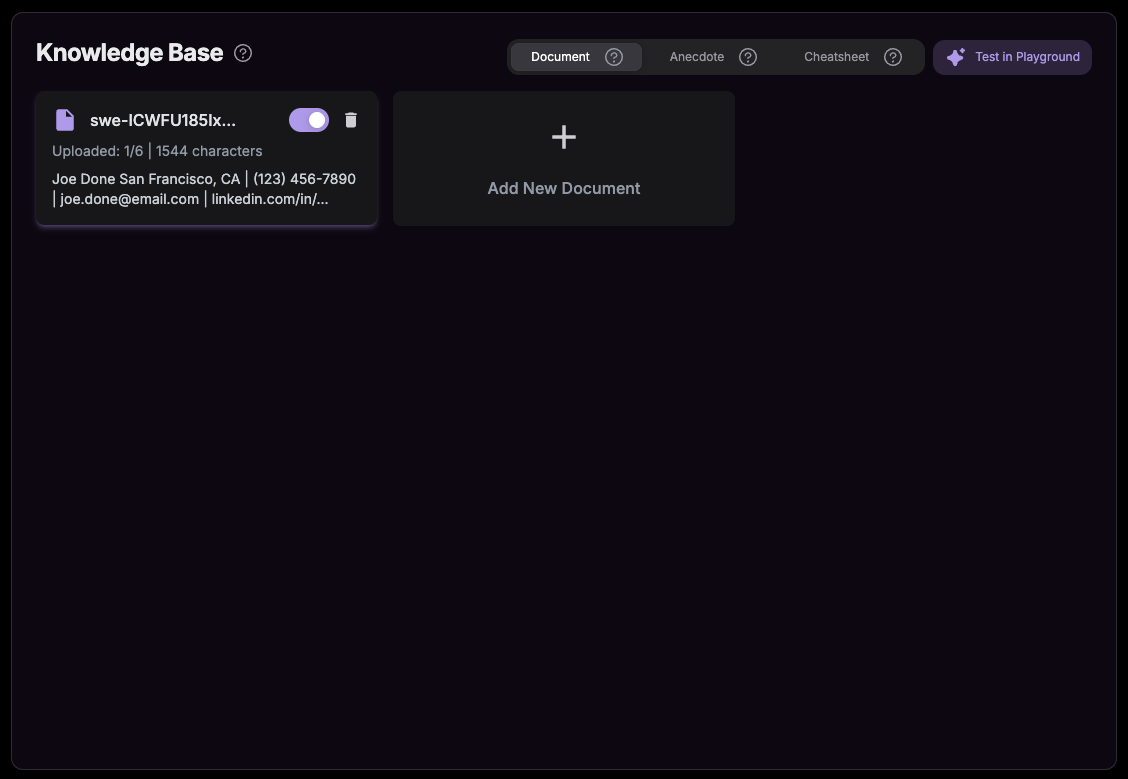
The Document feature allows you to upload files that the AI Interview Copilot actively uses to generate personalized, context-aware responses during your interview. Access: Knowledge Base → Documents tabHow to Upload Documents
1
Navigate to Knowledge Base
Visit the Knowledge Base and select the Documents tab
2
Click + New Document
Click the ”+ New Document” button to start uploading
3
Upload Your File
Drag and drop or select from local files to upload (PDF, DOC, or DOCX format)
4
Toggle On/Off
Once uploaded, your document appears on the dashboard. Toggle ON to have the Copilot consider it, or toggle OFF to exclude it
What to Upload
- Company Research: Information about the company, culture, products, or recent news
- Technical Specs: Technical documentation, architecture diagrams, or technology overviews
- Portfolio Summaries: Project summaries, case studies, or work samples relevant to the role
- Industry Reports: Market research, trends, or industry-specific knowledge
- Product Documentation: Product guides, user manuals, or feature specifications you should know
- Study Materials: Interview prep notes, coding patterns, or domain-specific guides