

Overview
The Anecdote feature allows you to prepare default answers that the Interview Copilot uses to personalize and enhance your interview support. This powerful tool lets you provide detailed stories, examples, or insights about your past work experiences, ensuring your key points are naturally integrated into the conversation. Access: Knowledge Base → Anecdote tabHow to Create an Anecdote
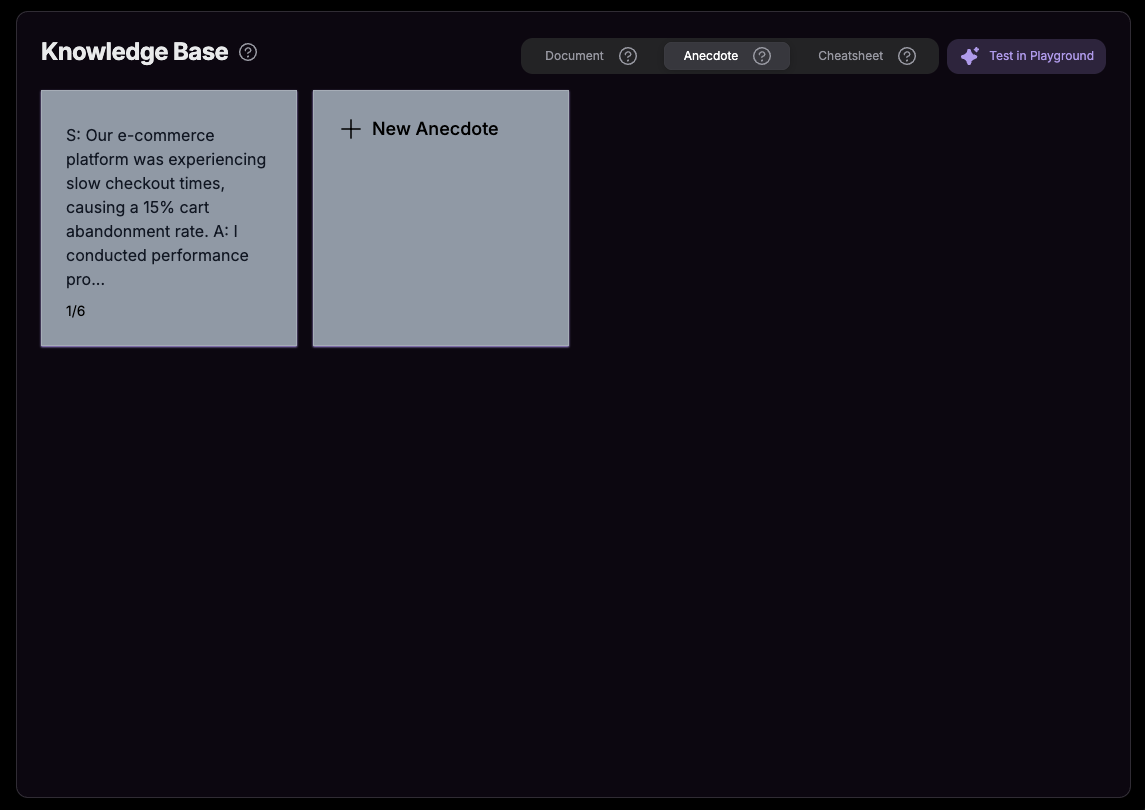
1
Navigate to Anecdotes
Go to Knowledge Base and click on the Anecdote tab.
2
Click + New Anecdote
Click the + New Anecdote button to create a new entry.
3
Fill in Details
- Title: Give your anecdote a descriptive name
- Content: Add your story using STAR format or free-form
4
Submit
Click Submit and your anecdote will be integrated into the AI Copilot’s responses.
Example Anecdote
Situation: Our e-commerce platform was experiencing slow checkout times, causing a 15% cart abandonment rate.Task: As the lead developer, I needed to optimize the checkout flow while maintaining all security and payment integrations.Action: I conducted performance profiling, identified database query bottlenecks, implemented Redis caching for session data, and optimized the payment gateway API calls. I also worked with the UX team to streamline the user interface.Result: Reduced checkout time from 45 seconds to 12 seconds, decreasing cart abandonment by 60% and increasing completed purchases by 25% over three months. The solution handled 3x the original traffic capacity.
How to Structure Anecdotes
STAR Format (Recommended)
The STAR method provides a clear structure that both the AI and interviewers appreciate:- Situation: Set the context and background
- Task: Describe the challenge or goal
- Action: Explain what you specifically did
- Result: Share the outcome and impact