> ## Documentation Index
> Fetch the complete documentation index at: https://docs.vervecopilot.com/llms.txt
> Use this file to discover all available pages before exploring further.

# 提出功能需求

> 分享你的想法，帮助我们改进 Verve AI

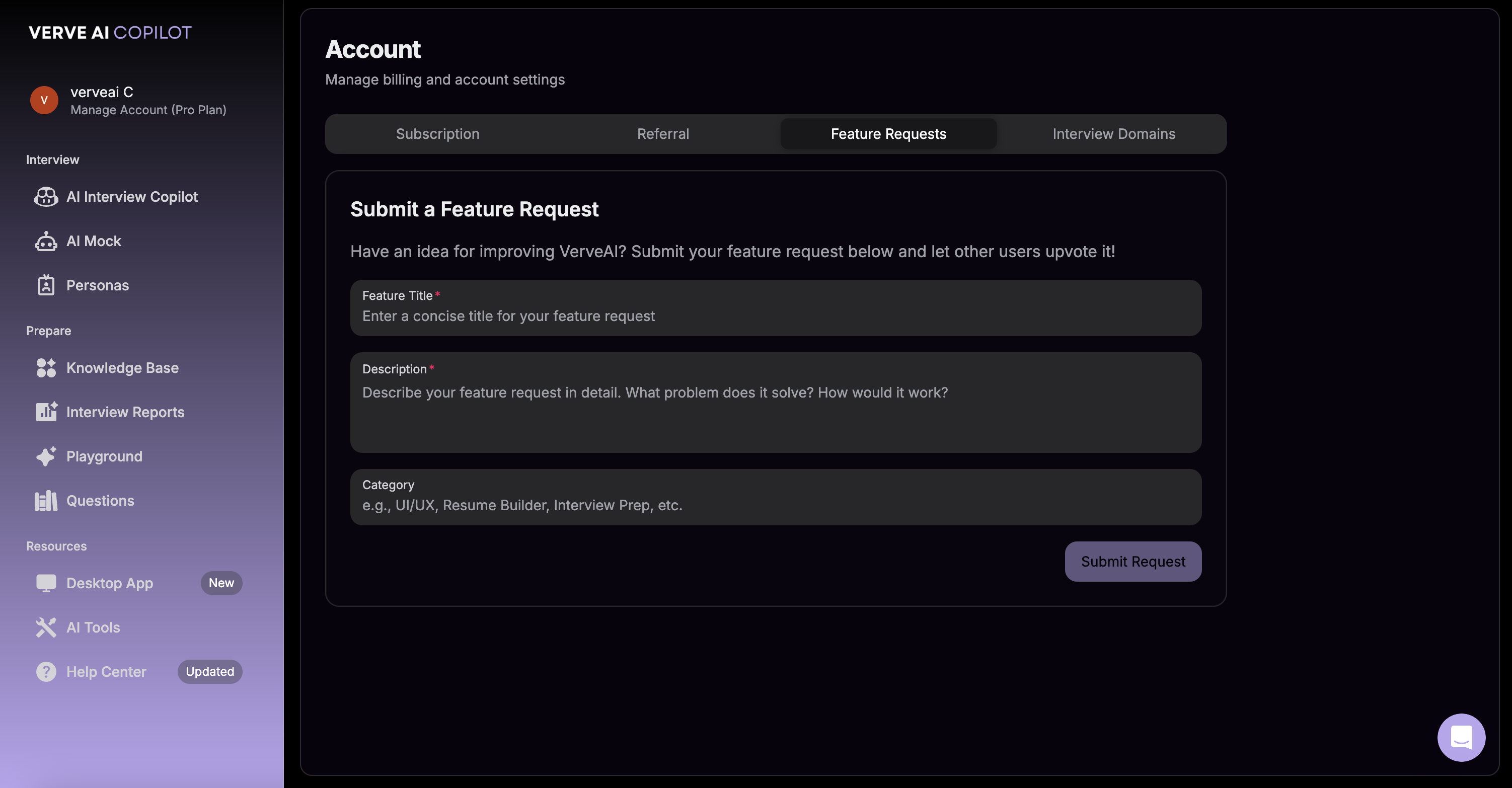
有让 Verve AI 变得更好的想法吗？我们很愿意倾听！你的反馈能帮助我们优先开发对用户最重要的功能。你可以通过功能需求表单提交建议，或直接与支持团队沟通。

***

## 如何提出功能需求

<Steps>
  <Step title="打开功能需求表单">
    前往 **账户管理** → **功能需求** 打开功能需求表单。
  </Step>

  <Step title="描述你的想法">
    告诉我们你希望新增的功能，并尽量包含以下信息：

    * 它将解决什么问题
    * 你希望它如何运作
    * 为什么它能帮助你的面试
  </Step>

  <Step title="提交请求">
    点击提交，将你的功能需求发送给我们的团队。
  </Step>
</Steps>

<div style={{ background:"url(https://mintcdn.com/verveai/4DDDE1_YTFGlwOxG/images/background.jpg?fit=max&auto=format&n=4DDDE1_YTFGlwOxG&q=85&s=5b8212ed290246edc77dab246edf4fc6)",backgroundSize:"cover",backgroundPosition:"center",padding:"1rem",borderRadius:"12px",marginTop:"1rem",marginBottom:"1rem" }}>
  <img src="https://mintcdn.com/verveai/T8bSgWyaU382QWTw/images/request-a-feature.png?fit=max&auto=format&n=T8bSgWyaU382QWTw&q=85&s=be1b0e526a2eaefa6828f31df0704092" alt="功能需求表单" style={{ borderRadius:"12px",width:"100%",border:"1px solid rgba(0, 0, 0, 0.1)",boxShadow:"0 8px 16px rgba(0, 0, 0, 0.15)" }} width="3004" height="1566" data-path="images/request-a-feature.png" />
</div>

<Tip>
  **其他方式** - 你也可以通过屏幕右下角的紫色聊天图标联系支持团队，直接提交功能需求。
</Tip>

***

## 接下来会发生什么

<CardGroup cols={2}>
  <Card title="我们会审核你的请求" icon="magnifying-glass">
    团队会评估每一条功能需求
  </Card>

  <Card title="社区反馈" icon="users">
    热门需求将被优先处理
  </Card>

  <Card title="开发规划" icon="calendar">
    通过审核的功能会进入我们的路线图
  </Card>

  <Card title="你会收到更新" icon="bell">
    当你请求的功能上线时，我们会通知你
  </Card>
</CardGroup>

***

## 提交优质功能需求的小建议

<Tip>
  尽量具体描述你的使用场景。你提供的上下文越多，我们就越能准确理解并实现你的想法。
</Tip>

<Note>
  已经提交过功能需求？欢迎再次补充更多上下文或跟进进展，你可以再次提交请求或联系支持团队。
</Note>