> ## Documentation Index
> Fetch the complete documentation index at: https://docs.vervecopilot.com/llms.txt
> Use this file to discover all available pages before exploring further.

# サポートに連絡

> ヘルプの相談、機能要望、バグ報告、新しい面接ジャンルの提案ができます。

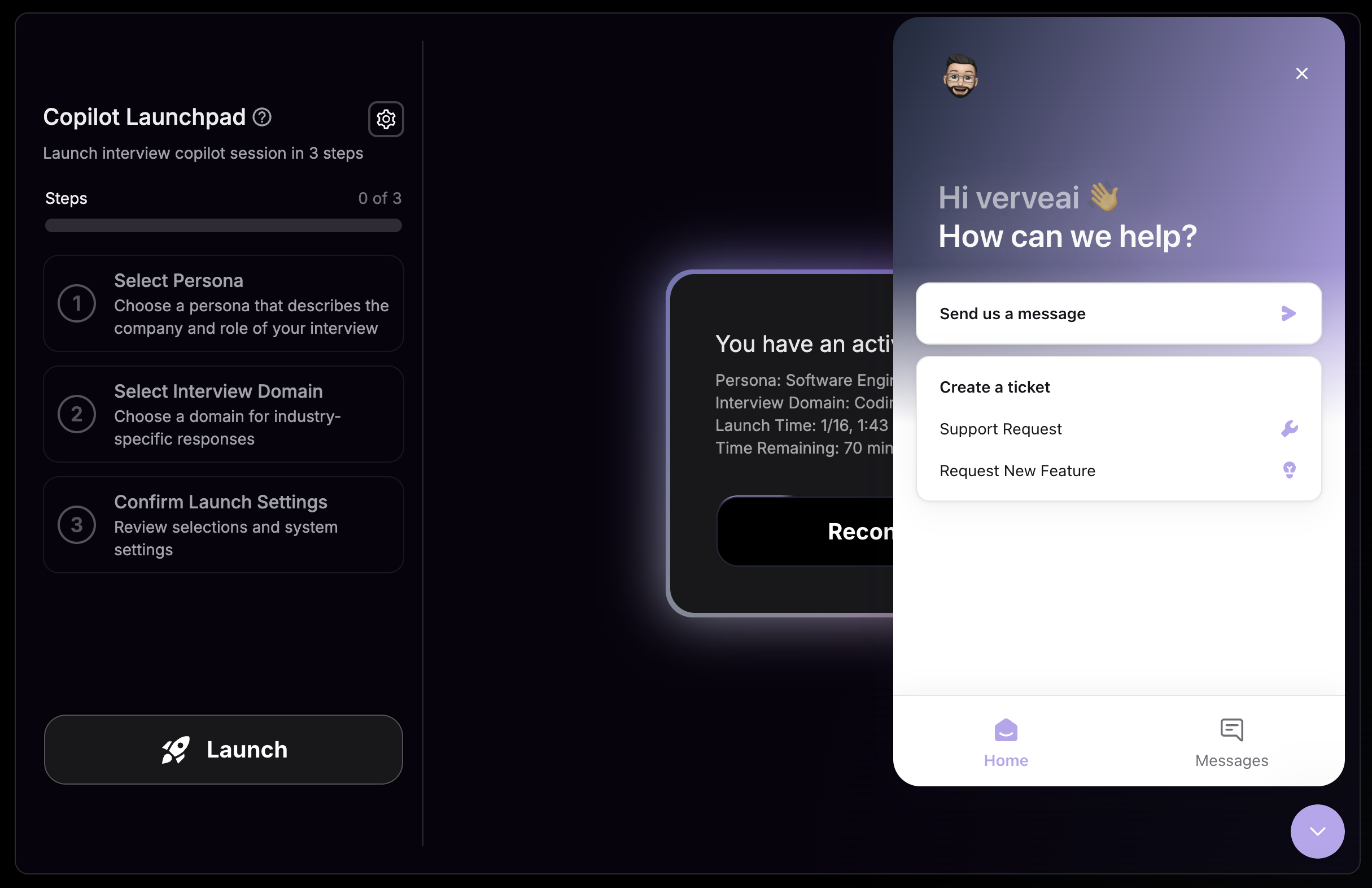
お困りごとやフィードバックがある場合は、サポートチームが対応します。画面右下の**紫色のチャットアイコン**をクリックして、サポートチームへ直接メッセージを送ってください。

***

## サポートへの連絡方法

<Steps>
  <Step title="チャットアイコンを探す">
    画面右下にある紫色のチャットアイコンを探します。
  </Step>

  <Step title="メッセンジャーを開く">
    アイコンをクリックしてサポートメッセンジャーを開きます。
  </Step>

  <Step title="メッセージを送信する">
    内容を入力して送信してください。サポートチームができるだけ早く返信します。
  </Step>
</Steps>

<div
  style={{
background: 'url(https://mintcdn.com/verveai/4DDDE1_YTFGlwOxG/images/background.jpg?fit=max&auto=format&n=4DDDE1_YTFGlwOxG&q=85&s=5b8212ed290246edc77dab246edf4fc6)',
backgroundSize: 'cover',
backgroundPosition: 'center',
padding: '1rem',
borderRadius: '12px',
marginTop: '1rem',
marginBottom: '1rem'
}}
>
  <img src="https://mintcdn.com/verveai/jzc8c-7o9gDM_ix4/images/contact-support.png?fit=max&auto=format&n=jzc8c-7o9gDM_ix4&q=85&s=d446095c276d1e06cea12928f927e776" alt="サポートチャット画面" style={{borderRadius: '12px', width: '100%', border: '1px solid rgba(0, 0, 0, 0.1)', boxShadow: '0 8px 16px rgba(0, 0, 0, 0.15)'}} width="2430" height="1572" data-path="images/contact-support.png" />
</div>

***

## 対応可能なリクエスト

<CardGroup cols={2}>
  <Card title="ヘルプを受ける" icon="circle-question">
    各機能の問題をトラブルシューティング
  </Card>

  <Card title="機能をリクエスト" icon="lightbulb">
    Verve AIを改善するアイデアを共有
  </Card>

  <Card title="新しいジャンルを提案" icon="plus">
    新しい面接ジャンルを提案
  </Card>

  <Card title="バグを報告" icon="bug">
    正常に動作しない箇所を報告
  </Card>
</CardGroup>