> ## Documentation Index
> Fetch the complete documentation index at: https://docs.vervecopilot.com/llms.txt
> Use this file to discover all available pages before exploring further.
# Playground
> Test and customize your AI interview assistant with 20 models before real interviews for optimal behavioral and technical support.
## Overview
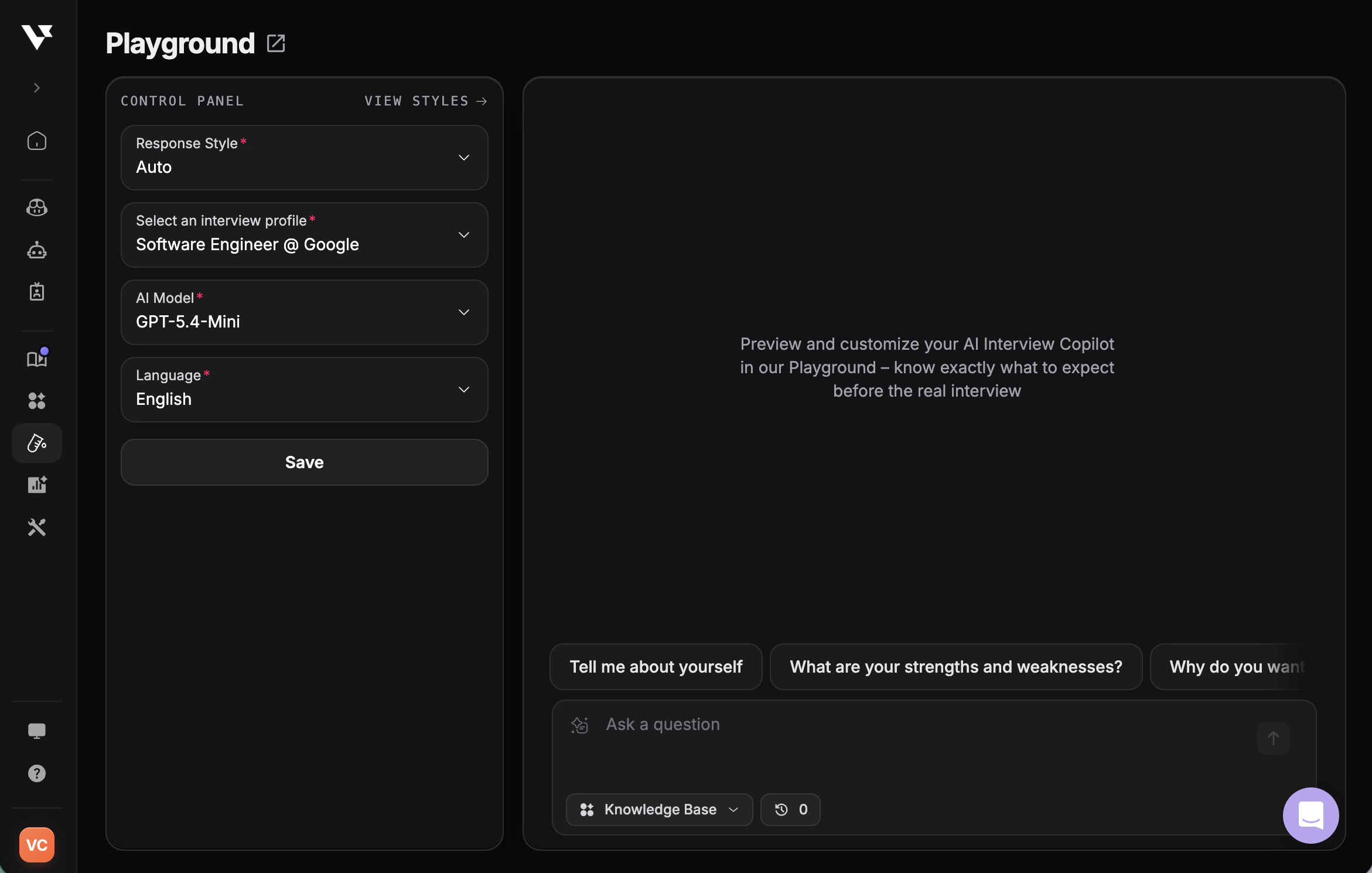
The Playground is your personal testing space to preview and customize how your AI Interview Copilot responds—before the real interview. It's designed to help you feel fully prepared and confident by letting you experiment with different settings until everything feels just right.
**Access:** [Playground](https://www.app.vervecopilot.com/playground)
***
## How to Use the Playground
Navigate to the [Playground](https://www.app.vervecopilot.com/playground) from your Verve AI dashboard.
Choose an interview profile that matches your interview role.
Select an AI model to test different response styles.
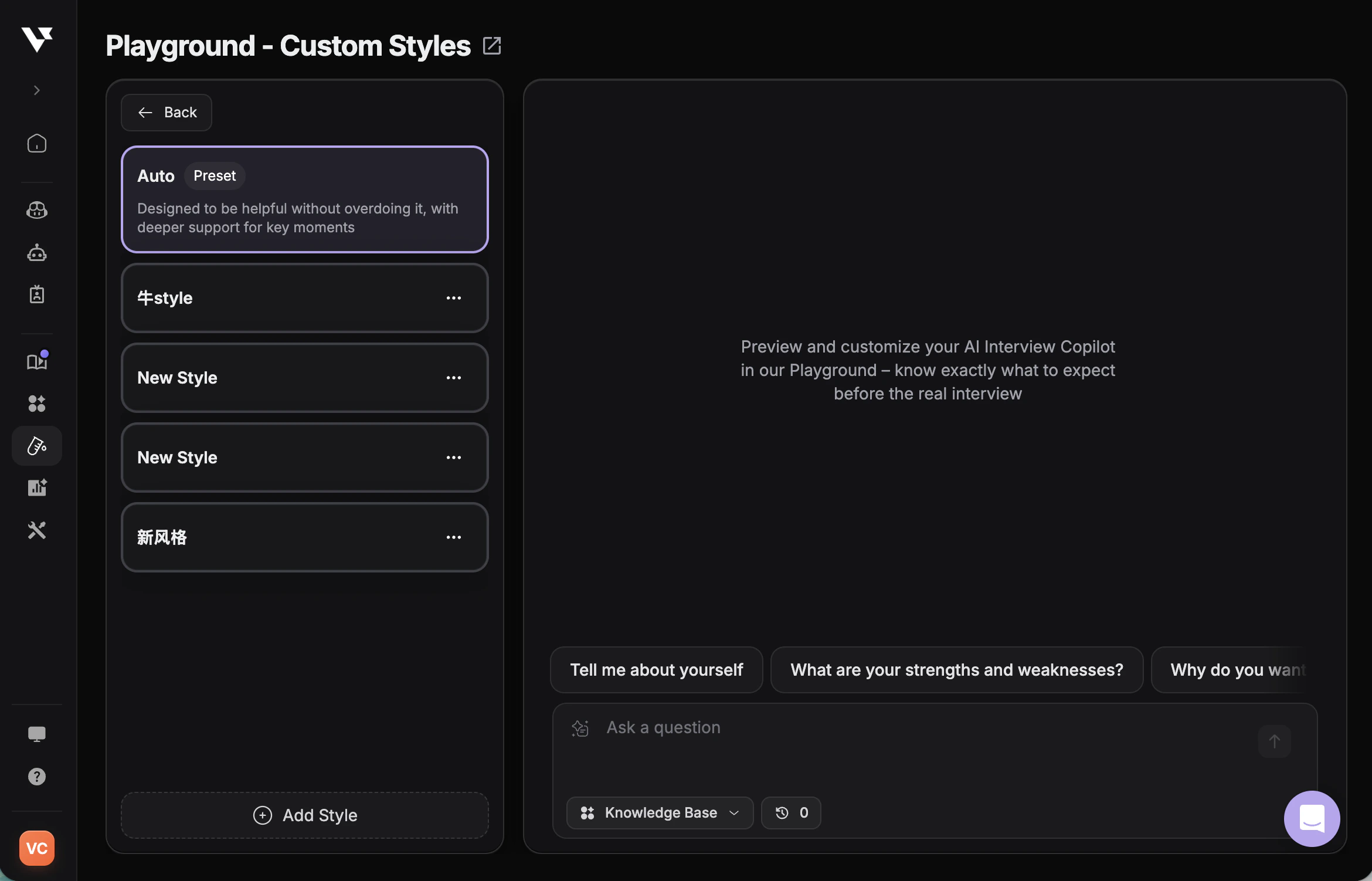
Adjust language preferences and select either “Auto” or your created custom style for the response style.
Create and test personalized response formats tailored to your needs.
Type in sample interview questions to see how the AI responds.
Analyze the AI's answers and adjust settings as needed.
Save your preferences to use in actual interview sessions.
Test with actual questions from your interview prep materials to get the most accurate preview of how the Copilot will perform.
***
## Customize Response Style
The Playground lets you create and test custom response styles to control exactly how the AI generates answers—adjusting tone, structure, and focus to match your interview needs.
**What You Can Do:**
* Create personalized response styles with custom prompts
* Use dynamic variables like resume, job description, and company info
* Test styles in real-time before live interviews
* Build interview-type-specific styles (coding, behavioral, system design)
Learn how to create and manage custom response styles
***
## Available AI Models
The Playground supports 20 AI models to help you find the perfect fit for your interview needs:
We are dedicated to adding the latest AI models as they become available. The model list is subject to change and updates.
* **Claude 4.6 Sonnet** - Industry-leading reasoning for complex technical interviews
* **Claude 4.5 Sonnet** - Fast, balanced responses for general interviews
* **GPT-5.4** - Latest OpenAI flagship with advanced reasoning
* **GPT-5.3** - Strong general intelligence for all interview types
* **GPT-5.2** - Versatile reasoning for behavioral and technical questions
* **Gemini 3 Pro** - High-quality reasoning for technical interviews
* **Grok 4 Reasoning** - Advanced reasoning for logic and system design
* **Grok 4** - Fast, accurate responses
* **DeepSeek V3.2** - Latest DeepSeek release with deep reasoning for complex algorithms
* **DeepSeek V3.1** - Advanced technical understanding for coding
* **Kimi K2 Thinking** - Problem analysis with thinking mode
* **Kimi K2.5** - Balanced performance for general use
* **MiniMax M2.5** - Large-context reasoning
* **GLM-5** - Broad reasoning with strong multilingual support
* **GPT-5.4-Mini** - Fast, cost-effective for quick practice
* **GPT-OSS-120B** - Open-source architecture for testing
* **Gemini 3 Flash** - Speed-optimized for rapid iteration
* **Gemini 3.1 Flash Lite** - Ultra-fast for low-latency use
* **Gemini 2.5 Flash** - Lightweight thinking mode
***
## Best Practices
* **Test Multiple Scenarios** - Try different types of questions: behavioral, technical, system design, and coding challenges
* **Compare Models** - Test the same question across different AI models to find your preferred style
* **Upload Relevant Documents** - Include your resume and job description for context-aware responses
* **Fine-tune Response Style** - Adjust between Concise, Explanatory, and Default based on your interview type, or create [custom response styles](/features/custom-response-style) with personalized prompts
* **Test Custom Styles** - If using custom response styles, test them extensively in Playground before live interviews to ensure they generate the responses you expect
* **Apply Before Interviews** - Always apply your settings before launching an actual interview session