> ## Documentation Index
> Fetch the complete documentation index at: https://docs.vervecopilot.com/llms.txt
> Use this file to discover all available pages before exploring further.

# Question Bank

> Browse and practice with thousands of real interview questions sourced from top companies.

## Overview

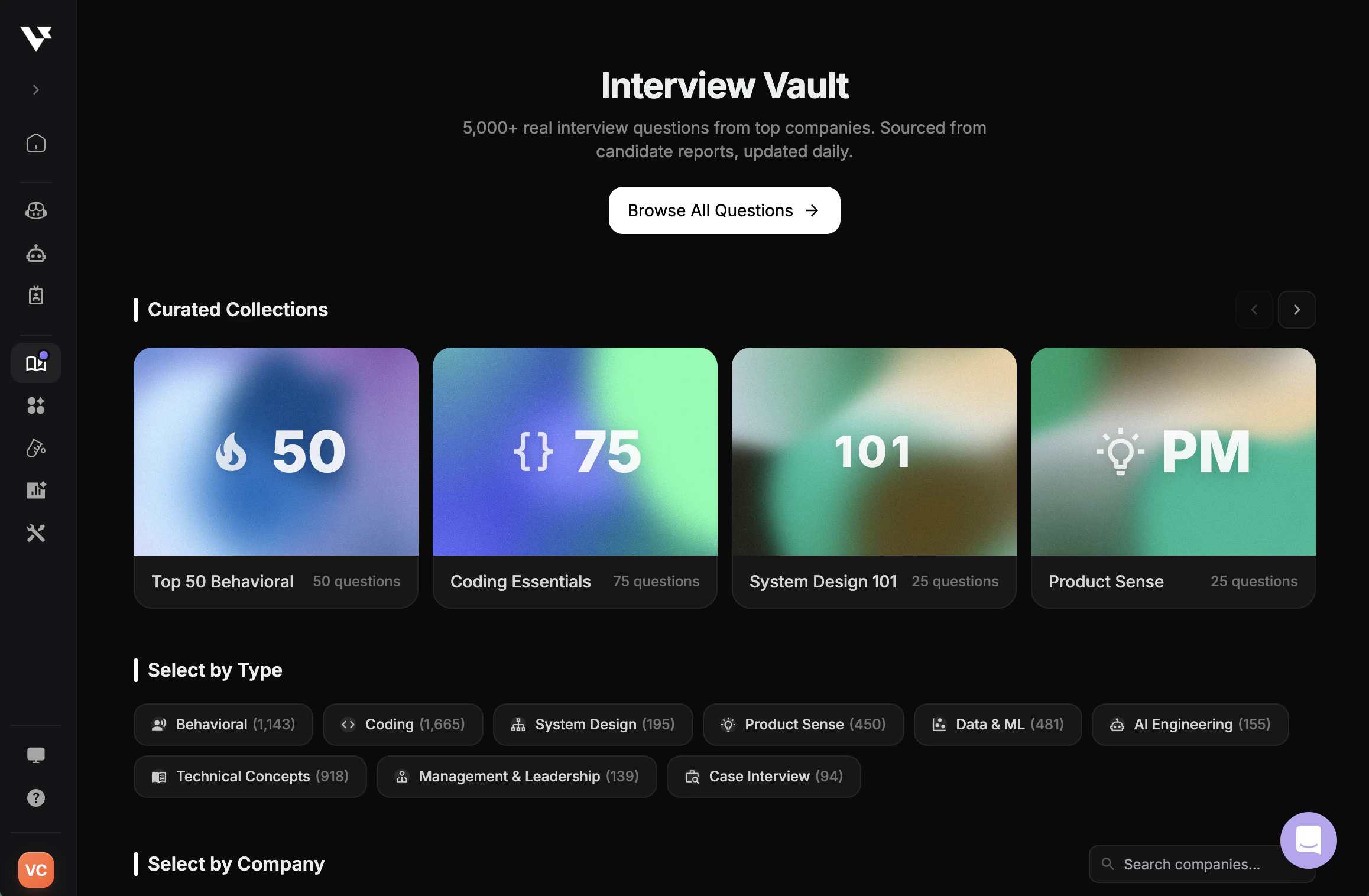
The Question Bank is your interview vault: thousands of real interview questions from top companies, curated collections, and a built-in practice mode. Browse by topic or company, drill into any question, and practice answering out loud with audio-guided sessions.

<div
  style={{
background: 'url(https://mintcdn.com/verveai/jzc8c-7o9gDM_ix4/images/background-2.png?fit=max&auto=format&n=jzc8c-7o9gDM_ix4&q=85&s=0af18b9116238a319c7a24cac112123c)',
backgroundSize: 'cover',
backgroundPosition: 'center',
padding: '1rem',
borderRadius: '12px',
marginTop: '1rem',
marginBottom: '1rem'
}}
>
  <img src="https://mintcdn.com/verveai/QJL4eGuyUaXRRBy4/images/question-bank-1.png?fit=max&auto=format&n=QJL4eGuyUaXRRBy4&q=85&s=1d131fa6cb104549e76ac9117c360253" alt="Interview Vault landing page with curated collections" style={{borderRadius: '12px', width: '100%', border: '1px solid rgba(0, 0, 0, 0.1)', boxShadow: '0 8px 16px rgba(0, 0, 0, 0.15)'}} width="2316" height="1516" data-path="images/question-bank-1.png" />
</div>

Start from a **Curated Collection** like Top 50 Behavioral, Coding Essentials, System Design 101, or Product Sense, or filter by question **type** (Behavioral, Coding, System Design, Product Sense, Data & ML, AI Engineering, etc.) or **company**.

***

## Browse Questions

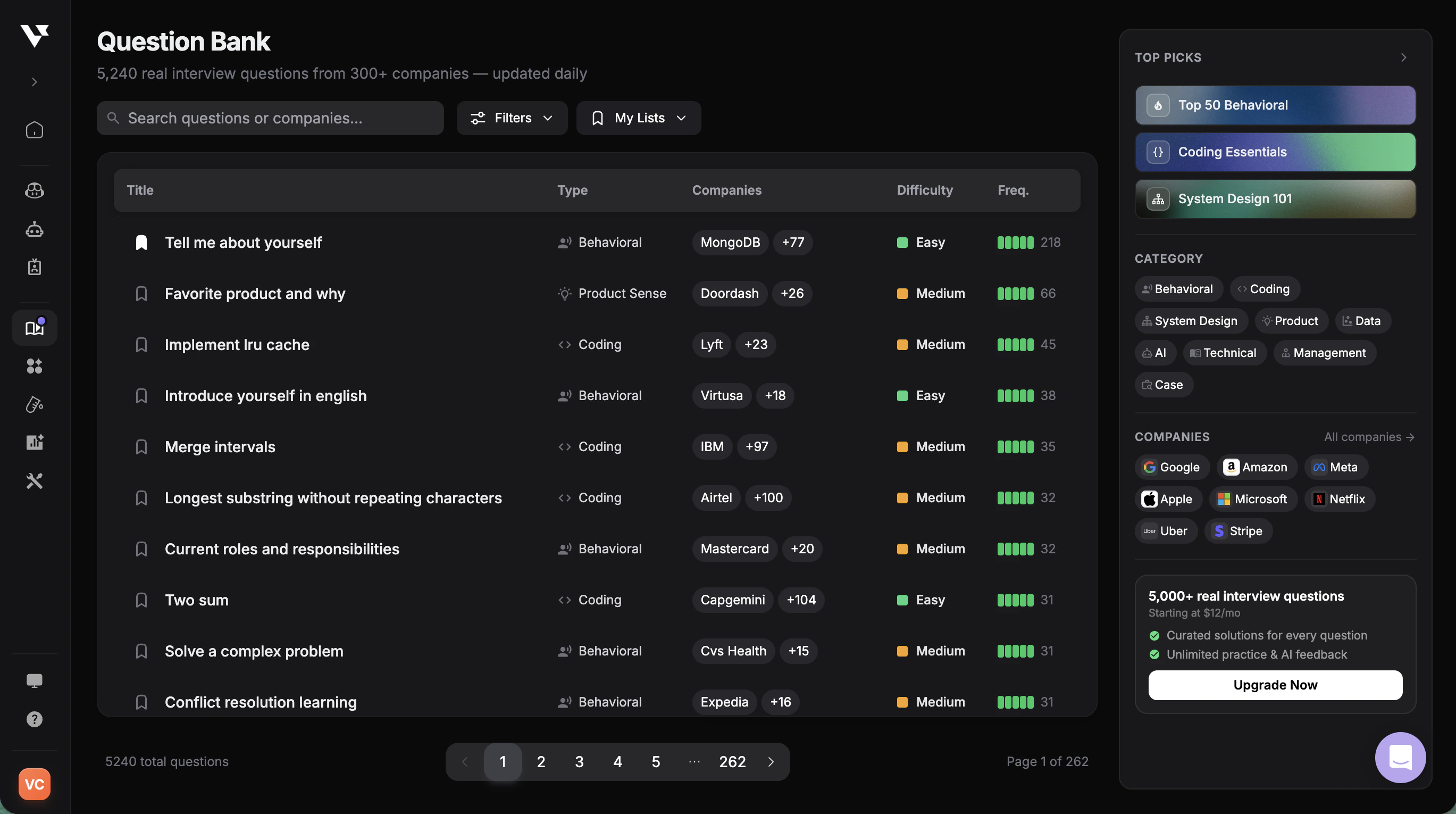
Search across 5,000+ real interview questions from 300+ companies, updated daily. Each row shows the question type, the companies that have asked it, difficulty, and frequency so you can prioritize what to practice.

<div
  style={{
background: 'url(https://mintcdn.com/verveai/jzc8c-7o9gDM_ix4/images/background-2.png?fit=max&auto=format&n=jzc8c-7o9gDM_ix4&q=85&s=0af18b9116238a319c7a24cac112123c)',
backgroundSize: 'cover',
backgroundPosition: 'center',
padding: '1rem',
borderRadius: '12px',
marginTop: '1rem',
marginBottom: '1rem'
}}
>
  <img src="https://mintcdn.com/verveai/QJL4eGuyUaXRRBy4/images/question-bank-2.png?fit=max&auto=format&n=QJL4eGuyUaXRRBy4&q=85&s=a13aae51c1f7e8ebead7adc5c42d2496" alt="Question Bank list with filters and frequency data" style={{borderRadius: '12px', width: '100%', border: '1px solid rgba(0, 0, 0, 0.1)', boxShadow: '0 8px 16px rgba(0, 0, 0, 0.15)'}} width="2738" height="1530" data-path="images/question-bank-2.png" />
</div>

Use **Filters** to narrow by category, difficulty, or company, save questions to **My Lists** for later, and jump straight into a **Top Pick** collection from the side panel.

***

## Practice a Question

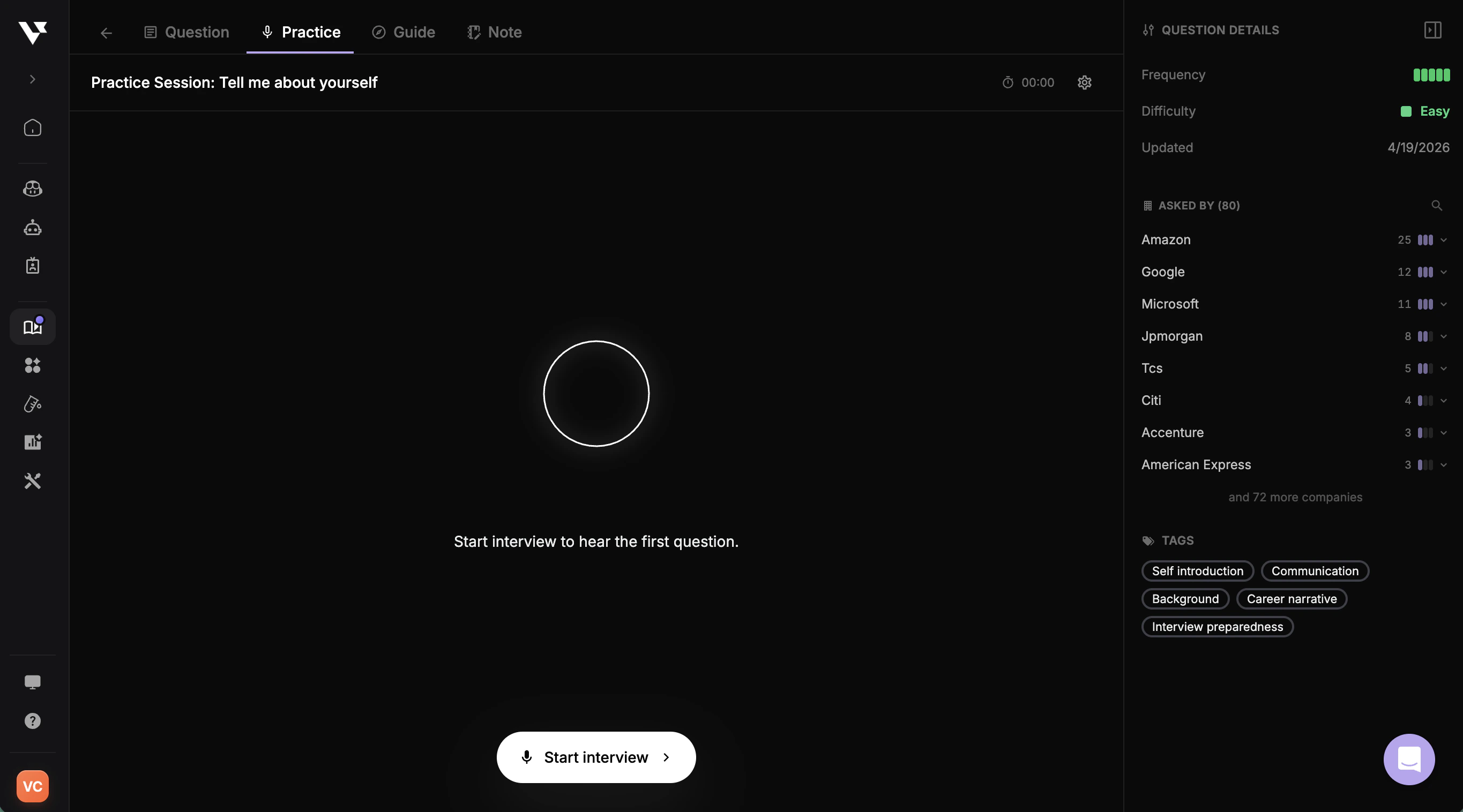
Open any question and click **Start interview** to enter a voice-guided practice session. Verve AI reads the question aloud and listens to your answer, so you can rehearse exactly how you'd respond live.

<div
  style={{
background: 'url(https://mintcdn.com/verveai/jzc8c-7o9gDM_ix4/images/background-2.png?fit=max&auto=format&n=jzc8c-7o9gDM_ix4&q=85&s=0af18b9116238a319c7a24cac112123c)',
backgroundSize: 'cover',
backgroundPosition: 'center',
padding: '1rem',
borderRadius: '12px',
marginTop: '1rem',
marginBottom: '1rem'
}}
>
  <img src="https://mintcdn.com/verveai/QJL4eGuyUaXRRBy4/images/question-bank-3.png?fit=max&auto=format&n=QJL4eGuyUaXRRBy4&q=85&s=8527f73aeb3a7319cfbe73c4a947e6f4" alt="Practice session for a Question Bank question" style={{borderRadius: '12px', width: '100%', border: '1px solid rgba(0, 0, 0, 0.1)', boxShadow: '0 8px 16px rgba(0, 0, 0, 0.15)'}} width="2730" height="1516" data-path="images/question-bank-3.png" />
</div>

The right panel shows **Question Details** — frequency, difficulty, last updated, the companies that have asked it, and topical tags — so you understand the context before you answer.

***

## Question Details and Sample Answers

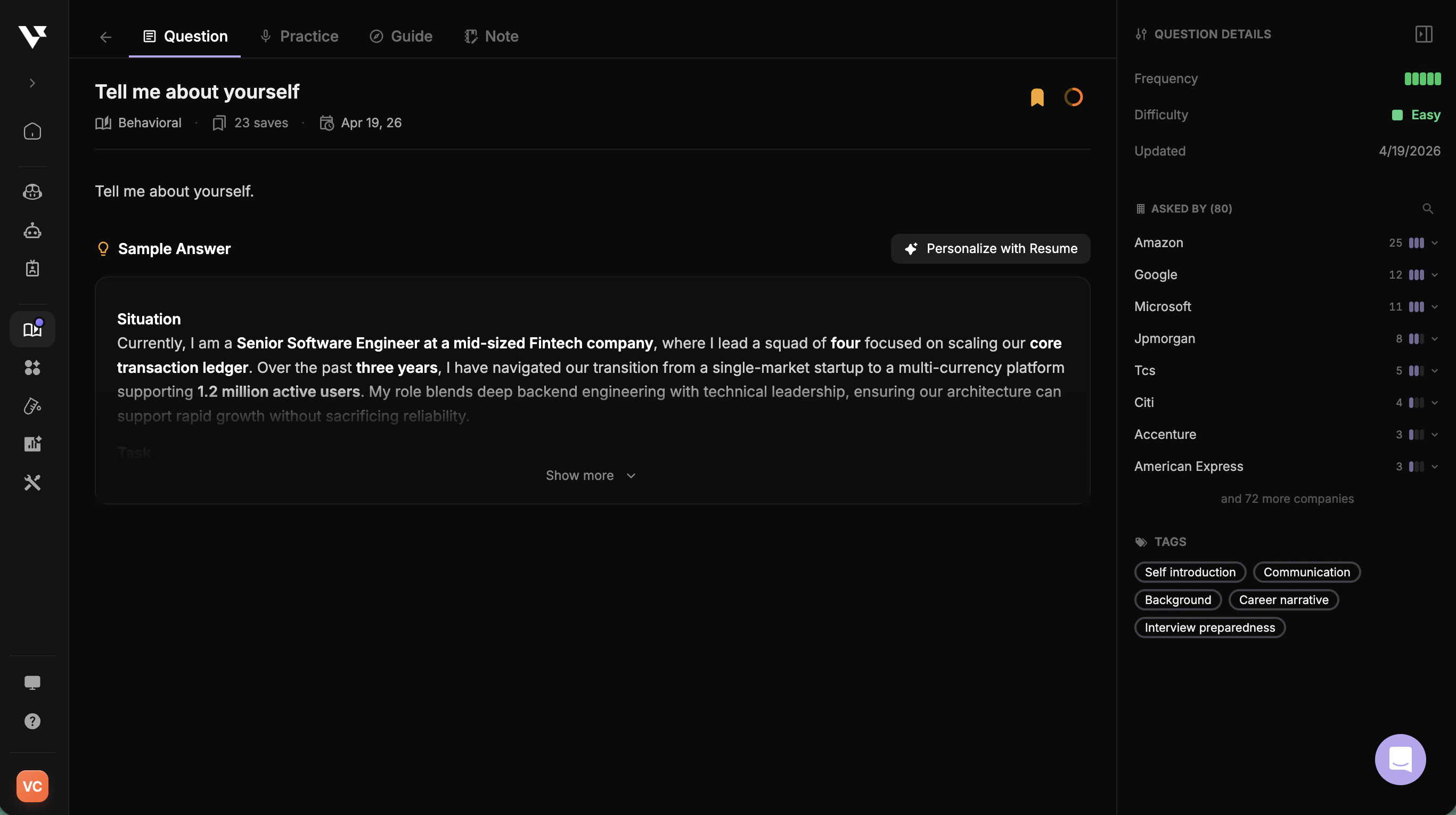
Every question comes with a **Sample Answer** structured in STAR format and metadata that helps you tailor your own response.

<div
  style={{
background: 'url(https://mintcdn.com/verveai/jzc8c-7o9gDM_ix4/images/background-2.png?fit=max&auto=format&n=jzc8c-7o9gDM_ix4&q=85&s=0af18b9116238a319c7a24cac112123c)',
backgroundSize: 'cover',
backgroundPosition: 'center',
padding: '1rem',
borderRadius: '12px',
marginTop: '1rem',
marginBottom: '1rem'
}}
>
  <img src="https://mintcdn.com/verveai/QJL4eGuyUaXRRBy4/images/question-bank-4.png?fit=max&auto=format&n=QJL4eGuyUaXRRBy4&q=85&s=3b16320da46ada6dd5bdf7882451aa96" alt="Question detail view with sample answer and Personalize with Resume" style={{borderRadius: '12px', width: '100%', border: '1px solid rgba(0, 0, 0, 0.1)', boxShadow: '0 8px 16px rgba(0, 0, 0, 0.15)'}} width="2734" height="1530" data-path="images/question-bank-4.png" />
</div>

Click **Personalize with Resume** to rewrite the sample answer using your own background, experience, and projects — turning a generic example into a response you can actually deliver.