> ## Documentation Index
> Fetch the complete documentation index at: https://docs.vervecopilot.com/llms.txt
> Use this file to discover all available pages before exploring further.

# Contact Support

> Get help, request features, report bugs, or suggest new interview domains

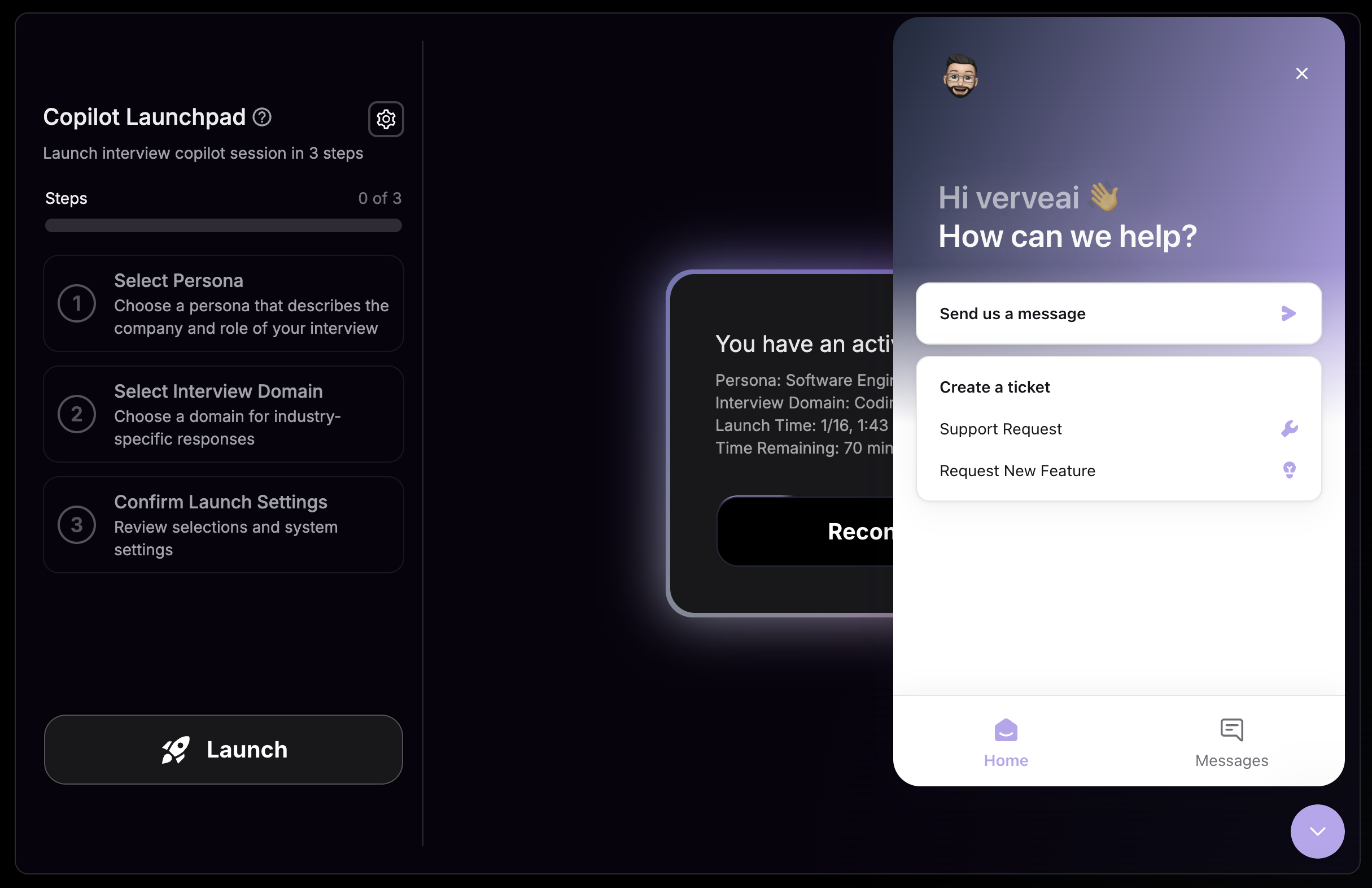
Need help or have feedback? Our support team is here to assist you. Click the **purple chat icon** in the bottom-right corner of your screen to send a message directly to our team.

***

## How to Contact Support

<Steps>
  <Step title="Find the Chat Icon">
    Look for the purple chat icon in the bottom-right corner of your screen.
  </Step>

  <Step title="Open the Messenger">
    Click the icon to open the support messenger.
  </Step>

  <Step title="Send Your Message">
    Type your message and hit send. Our team will respond as soon as possible.
  </Step>
</Steps>

<div
  style={{
background: 'url(https://mintcdn.com/verveai/4DDDE1_YTFGlwOxG/images/background.jpg?fit=max&auto=format&n=4DDDE1_YTFGlwOxG&q=85&s=5b8212ed290246edc77dab246edf4fc6)',
backgroundSize: 'cover',
backgroundPosition: 'center',
padding: '1rem',
borderRadius: '12px',
marginTop: '1rem',
marginBottom: '1rem'
}}
>
  <img src="https://mintcdn.com/verveai/jzc8c-7o9gDM_ix4/images/contact-support.png?fit=max&auto=format&n=jzc8c-7o9gDM_ix4&q=85&s=d446095c276d1e06cea12928f927e776" alt="Contact support chat interface" style={{borderRadius: '12px', width: '100%', border: '1px solid rgba(0, 0, 0, 0.1)', boxShadow: '0 8px 16px rgba(0, 0, 0, 0.15)'}} width="2430" height="1572" data-path="images/contact-support.png" />
</div>

***

## Types of Requests

<CardGroup cols={2}>
  <Card title="Get Help" icon="circle-question">
    Troubleshoot issues with any feature
  </Card>

  <Card title="Request a Feature" icon="lightbulb">
    Share ideas to improve Verve AI
  </Card>

  <Card title="Request New Domain" icon="plus">
    Suggest new interview domains
  </Card>

  <Card title="Report a Bug" icon="bug">
    Let us know what's not working
  </Card>
</CardGroup>